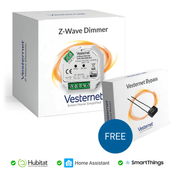
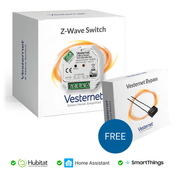
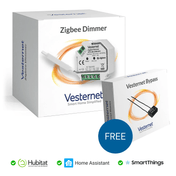
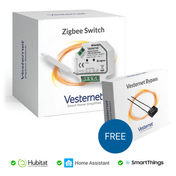
In short: A smart light switch is a switch, dimmer or hidden module that is wired into the lighting circuit and has a radio inside, so the light can be controlled from the wall, an app, a voice assistant or an automation. Choose a module to keep your existing switches, a replacement wall switch for a new look, and smart bulbs or plugs where you can't touch the wiring.
Who this guide is for
- You want smart lighting and are deciding between switches, dimmers, modules and bulbs.
- You need a dimmer that works properly with LED lamps.
- You are an installer choosing devices for a mix of circuits and switch styles.
What is a smart light switch?
A smart light switch does the same job as an ordinary one: it turns the power to a light on and off, or dims it. The difference is a small radio and processor inside. These let the switch report what it is doing and accept commands from somewhere else.
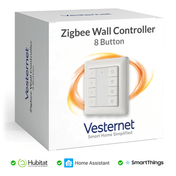
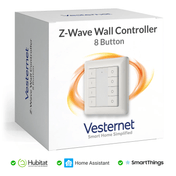
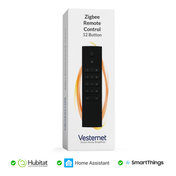
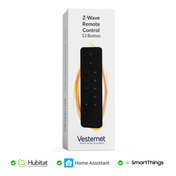
It comes in three forms. A smart wall switch or wall dimmer replaces the whole switch plate. An in-wall module (also called a smart module, relay or micro-module) hides behind your existing switch or at the light fitting. A battery wall controller looks like a switch but has no wiring at all. It sends commands to other devices.
How do smart light switches work?
The switch or module is wired into the lighting circuit, between the supply and the lamp. Inside is a relay (for on and off) or dimming electronics (for brightness). You can still press the switch on the wall, and the light responds at once.
The radio connects the device to your smart home controller using Z-Wave, Zigbee, Matter, Thread or Wi-Fi. The controller links it to your phone, voice assistants, sensors and schedules. When you say "lights off" or a motion sensor sees you, the controller sends a short radio message to the switch, and the switch does the rest.
Do smart light switches work without Wi-Fi or the internet?
The wall switch always works, because it is wired straight to the device. With a local controller, Z-Wave and Zigbee automations also keep running when the internet is down, because nothing has to leave the house. Wi-Fi switches that rely on a cloud service lose app and voice control until the connection returns.
Do I need a hub?
Z-Wave and Zigbee devices need a controller with the matching radio. Hubitat, Homey Pro, Home Assistant, the Aeotec Smart Home Hub (SmartThings) and Fibaro Home Center all control lighting, but each supports different radios, so check before you buy. See Choosing a smart home controller and Will it work with my system?
Smart switches vs smart bulbs vs modules
There are several ways to make a light smart. The difference is where the smart part sits.
 In-wall moduleHidden behind your existing switch or at the light.
 Smart wall switchReplaces the switch plate. On and off control.
 Smart wall dimmerReplaces the switch plate and dims the light.
 Smart bulbThe radio is in the lamp. Adds colour and white tones.
 Smart plugFor table and floor lamps. No wiring at all.
| Best for | Wiring needed | Watch out for | |
|---|---|---|---|
| In-wall module | Keeping your own switch plates. 2-way circuits. Whole-house installs | Yes, behind the switch or at the light | Back box depth. Neutral and minimum load |
| Wall switch or dimmer | A new look with built-in buttons or scene control | Yes, replaces the switch | Fixed style and size. 2-way needs a wireless partner |
| Smart bulb | Colour and tunable white. Renters. Lamps | None | The wall switch must stay on. Costly for many-lamp fittings |
| Smart plug | Table and floor lamps | None | On and off only in most cases |
In-wall smart modules
A module is a small box, roughly the size of a matchbox, that fits in the back box behind your switch. Your switch plate stays, so the room looks the same and everyone uses the lights as before.
Modules come as dimmers, single and double switches (relays), blind and shutter controllers and LED strip controllers. Larger homes and new builds often use DIN rail versions, grouped in an enclosure.
They need space. A shallow UK back box is often too tight, and a 35 mm or 47 mm box is the usual answer. Browse dimmer modules, switch modules and DIN rail modules.

Smart wall switches and dimmers
These replace the whole switch. You get the manufacturer's style, buttons and indicator lights, and often extra buttons that can trigger scenes.
Check the size before buying. Many are made for round European boxes or need a deeper box than a standard UK switch. Also check 2-way circuits: most smart wall switches cannot be wired as a conventional 2-way pair. The second position is covered by a matching companion or a battery wall controller linked wirelessly.

Smart bulbs: how they work with switches
A smart bulb has the radio and dimmer inside the lamp. It needs power all the time, so the wall switch must be left on. If someone turns the switch off, the bulb drops off the network, and with it the route it provided for other Zigbee devices.
The usual fix is to leave the circuit on and fit a battery wall controller over or beside the old switch. Never put smart bulbs on a circuit with a dimmer, smart or not.
How to choose a smart bulb: match the cap (B22 bayonet and E27 screw for pendants and lamps, E14 for small fittings, GU10 for spotlights), then pick white only, tunable white (warm to cool) or full colour. Bulbs make most sense for lamps and for one or two feature lights. For a ceiling of eight spotlights, one dimmer is simpler.
Switching or dimming: do I need a dimmer switch?
Switch (relay)
- On and off only
- Works with any lamp type, including non-dimmable LEDs and fluorescent tubes
- Also suits fans, pumps and outdoor lighting within its rating
- Most need a neutral
Dimmer
- On, off and brightness
- Needs dimmable lamps
- For lighting only, never fans or sockets
- Many work without a neutral
Choose a dimmer where you want to set a mood: living rooms, bedrooms, dining areas and wall lights. Choose a switch for utility rooms, cupboards, outside lights and anything with non-dimmable lamps. If you only have a 2-wire circuit, a dimmer set to on/off behaviour is often the easiest way to get smart control. It is still a dimmer, so use dimmable lamps and check the dimmer's manual.
LED compatibility and minimum load
Most dimming complaints come down to the lamps, not the dimmer.
- Use dimmable LEDs. The lamp or its box must say "dimmable". Non-dimmable LEDs flicker, buzz or fail early on a dimmer.
- Mind the minimum load. A dimmer without a neutral needs a certain load to work. One or two LED lamps can be below it. The signs are flicker, a faint glow when off, or lamps that flash. A bypass fitted at the light usually cures it.
- Mind the maximum load too. The LED rating of a dimmer is much lower than its headline figure for filament lamps. Check the LED figure on the product page.
- Set the range. Good smart dimmers let you set a minimum and maximum brightness, or run a calibration, so the lamps dim smoothly across the whole slider.
- Keep lamps the same. One circuit, one make and model of lamp. Mixed lamps dim unevenly.
- Check the driver. Fittings with a separate LED driver or transformer need a dimmable driver that suits mains (phase-cut) dimming.
Leading edge and trailing edge dimmers
A mains dimmer works by cutting away part of each mains cycle. Which part it cuts matters.
Trailing edge dimming is the better match for LEDs. It is quieter and smoother, and it is what many smart dimmers use. Leading edge is the older method, built for filament and halogen lamps, and it can make LEDs buzz or flicker. Some smart dimmers detect the load and choose for you, and some let you set it. If the product page says "trailing edge" or "auto-detect", it is designed for dimmable LEDs. How well a particular lamp dims still depends on the lamp.
Keeping your existing switches: toggle or momentary?
A module has a switch input, so the switch on the wall still works. You tell the module which kind of switch it has.
Toggle switch
The normal UK rocker that stays up or down. Works well for on and off. With a dimmer module, a flick turns the light on at its last level, but dimming from the wall is awkward. The rocker position will no longer tell you if the light is on, because the app can change it too.
Momentary switch
Also called retractive or push-to-make. It springs back when released. Tap for on and off, hold to dim up or down. This is the best partner for a dimmer module, and many switch ranges offer a retractive version in the same style.
Do not connect a conventional dimmer knob to a module's switch input, and avoid electronic or touch switches with indicator lights, which most modules cannot power. For 2-way and intermediate circuits, one module does the work and the other switches become inputs to it. The wiring is covered in 2-wire vs 3-wire lighting.
When do you need a neutral?
A smart device needs a little power all the time. A neutral at the switch provides it. Most UK switches don't have one, because the neutral stays at the ceiling.
- Neutral at the switch (3-wire): any switch, relay or dimmer can be used.
- No neutral (2-wire): choose a device marked "no neutral required" or "2-wire". Most of these are dimmers, with a growing number of switches. Expect a minimum load, and sometimes a bypass.
- Relays for fans, pumps and heating, and blind controllers, need a neutral.
How to tell which you have, with wiring diagrams, is in 2-wire vs 3-wire lighting: the complete guide.
Safety. Switches, dimmers and modules are wired into the mains. The work must be done by a competent person with the circuit isolated, and it must comply with local wiring regulations. If in doubt, use a qualified electrician.
LED strips and RGBW controllers
LED strips run on low voltage DC, usually 12 V or 24 V, from their own power supply. A smart LED controller sits between the power supply and the strip and sets brightness and colour.
- Match the channels. Single colour needs one channel, tunable white two, RGB three, RGBW four and RGB plus tunable white five.
- Match the voltage of strip, controller and power supply.
- Size the power supply. Multiply watts per metre by length, then add about 20% headroom. Five metres at 10 W per metre is 50 W, so choose a 60 W supply. At 24 V that is roughly 2 A, which must also be within the controller's rating for each channel.
- Plan where it goes. The controller and power supply sit near the strip, not behind the wall switch. Use a battery wall controller or a module's switch input for control at the wall.
See RGBW controllers and smart bulbs and strips.

Zigbee, Z-Wave, Matter or Wi-Fi?
The same kinds of switch, dimmer and module exist for each wireless technology. Choose the one your controller supports.
 DimmersZ-Wave, Zigbee and Matter dimmer modules
 SwitchesSingle and double relay modules
 Wall switchesReplacement switches and dimmers
 Wall controllersBattery switches, no wiring
 Bulbs and stripsColour and tunable white lighting
 DIN railModules for an enclosure, fitted by an installer
- Zigbee dimmer switches and modules offer the widest choice and work on one frequency worldwide. See Zigbee explained.
- Z-Wave light switches and dimmers use 868 MHz in the UK and Europe, which passes through walls well and keeps clear of Wi-Fi. See Z-Wave explained.
- Matter devices (over Thread or Wi-Fi) work across Apple, Google, Amazon and SmartThings as well as dedicated controllers. Thread devices need a Thread border router, which may be built into your hub or be a separate device.
- Wi-Fi switches need no hub, but each one joins your router, and some depend on a cloud service.
Mains-powered Z-Wave and Zigbee switches, dimmers and modules usually pass messages on for other devices too. Some do not, so check the product page if you are counting on one to extend the network. Fitting them around the house strengthens the network for your battery sensors.
What features should I look for in a smart light switch?
- Works with your wiring: neutral or no neutral, 1-way or 2-way.
- Works with your controller and its radio.
- The right load rating for your lamps, using the LED figure.
- Trailing edge dimming and adjustable minimum brightness, for LEDs.
- Switch type support: toggle, momentary or both.
- Energy metering, if you want to see what the lights use.
- Scene control: double-tap or hold actions on the wall switch that trigger other things.
- What happens after a power cut: the best devices let you choose on, off or last state.
- A size that fits your back box.
Once the lights are smart, the useful part begins: motion-triggered lighting, sunset schedules and one-touch scenes. See the guide to automations and scenes.
What you'll need
- In-wall modules: dimmers and switches
- Smart wall switches and dimmers
- Battery wall controllers for extra switch positions and smart bulbs
- A smart home controller, if you don't have one yet