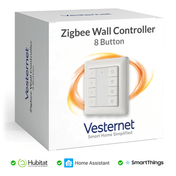
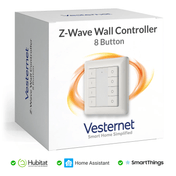
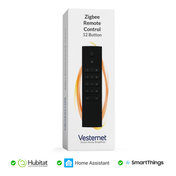
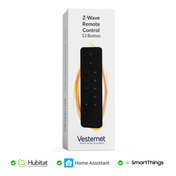
In short: Indoors, expect about 10 to 20 metres between Zigbee or Thread devices and 20 to 30 metres between Z-Wave devices. You rarely need more, because mains-powered devices pass messages on. A central hub and a few well-placed plugs or modules will cover most homes.
Who this guide is for
- You want to know how far Zigbee, Z-Wave and Thread reach before you buy.
- You're planning a network for a house, garden or outbuilding.
- You have devices that drop out or respond slowly and want to fix the cause.
How far can Zigbee, Z-Wave and Thread reach?
Range is the distance one device can talk to the next. The figures on a box are measured in open air with nothing in the way. Indoors, walls and floors cut them down, so plan with the indoor figures below.
| Technology | Radio band | Typical indoor range | Open air |
|---|---|---|---|
| Zigbee | 2.4 GHz | 10 to 20 metres per hop | Up to about 100 metres |
| Thread | 2.4 GHz | 10 to 20 metres per hop | Similar to Zigbee |
| Z-Wave | 868 MHz (UK and Europe) | 20 to 30 metres per hop | About 100 metres per hop |
| Z-Wave Long Range | Close to 868 MHz | Further than normal Z-Wave. Check the maker's figure | Several hundred metres, as quoted by makers |
The indoor figures are typical values for planning, not guarantees. The open-air figures come from the standards bodies and chip makers: the Connectivity Standards Alliance gives 10 to 100 metres for Zigbee, and Silicon Labs gives 400 metres across four hops for Z-Wave. Your home will sit somewhere below them.
What is the range of Zigbee?
A Zigbee device reliably reaches about 10 to 20 metres indoors, which is one or two rooms away in a typical house. In open air the maximum distance is up to about 100 metres, depending on the device's transmit power. A hub's own range is the same as any other mains device, so a "Zigbee hub range" of 10 to 20 metres indoors is a fair working figure.
Total coverage is much greater than one hop, because each mains-powered device passes messages on. Zigbee 4.0 also adds an optional long-range mode on a lower frequency. Check the product page to see whether a device supports it. See Zigbee explained.
What is the range of Z-Wave?
Z-Wave reaches about 20 to 30 metres indoors between devices. Older devices manage less, and current 700 and 800 series devices do noticeably better. Z-Wave uses a lower frequency than Zigbee, and lower frequencies pass through brick and floors more easily. See Z-Wave explained.
What is the range of Thread?
Thread uses the same kind of 2.4 GHz radio as Zigbee, so plan for the same 10 to 20 metres indoors. It also forms a mesh, and it needs a border router to connect it to your home network.
What reduces range? Walls, foil, metal and water
Every wall and floor between two devices takes some of the signal. How much depends on what it is made of. This applies to Zigbee range through walls, and to Z-Wave and Thread in the same way, although Z-Wave copes better with solid walls.
- Foil-backed insulation and plasterboard. The foil layer acts as a shield. It is common in loft conversions, extensions and newer houses, and it is the usual reason a garden room or loft has no signal.
- Metal. Steel beams, radiators, fridges, mirrors, metal back boxes and consumer units all block or reflect signals. Never put a hub inside a metal cabinet.
- Water. Fish tanks, hot water cylinders and wet underfloor heating absorb 2.4 GHz signals in particular.
- Thick stone and concrete. Old stone walls and concrete floors can halve the number of rooms a hop will cover.
- Angle. A signal that crosses a wall at a shallow angle passes through far more material than one that goes straight through.
Is Zigbee a mesh network? How the mesh works
Yes. Zigbee, Z-Wave and Thread are all mesh networks. Mains-powered devices pass messages on for their neighbours, so a sensor at the far end of the house reaches the hub in a few short hops instead of one long one. If a route fails, the network finds another.
Battery devices are the exception. They sleep to save power, so they send and receive but never pass messages on.
Z-Wave
- Mains devices repeat messages
- Four hops on a route is Silicon Labs' published figure
- Up to 232 devices including the controller
- The controller works out the routes
Zigbee
- Mains devices act as routers
- Many more hops allowed than Z-Wave
- Device limit set by your hub
- Routers find routes among themselves
Thread
- The network chooses which mains devices act as routers (up to 32)
- Needs a border router
- Repairs itself with no hub to manage it
How many hops can a message make?
Silicon Labs, which makes the Z-Wave chips, quotes 400 metres of range over four hops. Four hops means three mains-powered devices pass the message on between the hub and its destination. With 20 to 30 metres per hop indoors, that is more than enough for almost any house.
Zigbee and Thread allow more hops, so there is no practical limit to worry about in a home. On every system, each extra hop adds a little delay and one more thing that can fail. Aim for a network that is dense, not long: several routes of one or two hops beat a single long chain.
Which devices extend the range?
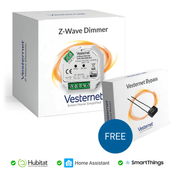
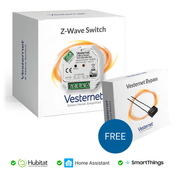
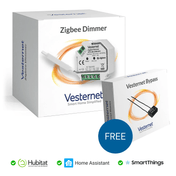
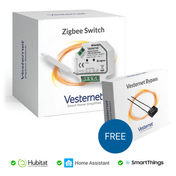
You don't need a dedicated repeater. Almost every mains-powered device repeats messages as well as doing its own job: plugs, in-wall switch and dimmer modules, wall switches, blind controllers and most mains-powered bulbs. A few mains devices don't repeat, so check the manual if you are relying on one.
 Z-Wave range extenderPlugs into a socket. Its only job is to repeat
 Zigbee range extenderA dedicated Zigbee router for a weak spot
 Zigbee smart plugSwitches an appliance and passes messages on
 Z-Wave smart plugEasy to move while you find the best spot
 In-wall moduleAlways powered, so it is a dependable repeater
Three rules:
- Each technology has its own mesh. A Zigbee plug does nothing for Z-Wave, and the other way round. Build each network you use.
- Repeaters must stay powered. A smart bulb on a wall switch that gets turned off, or a plug that gets pulled out, takes its routes with it. In-wall modules and plugs behind furniture are the dependable choices.
- A range extender is for gaps. Use one where you have a weak spot and nothing else you want to control there, such as a landing, a garage or a hallway.
 PlugsThe quickest way to add a repeater
 ModulesHidden behind switches, always powered
 Wall switchesMains-powered switches and dimmers
 ControllersThe hub at the centre of the mesh
Where should the hub go?
Hub placement makes more difference than any other single choice. Every message starts or ends at the hub, so put it where it can reach the most devices in the fewest hops.
- Central. As near the middle of the house as you can, on the ground floor or first floor, not in the loft or cellar.
- In the open. On a shelf or desk, off the floor. Not in a metal cabinet, a media unit full of equipment or behind the TV.
- Away from the Wi-Fi router. A metre or more apart. A network cable makes this easy.
- USB sticks on an extension lead. If you use a USB stick with Home Assistant, a short USB extension lead moves it clear of the computer. USB 3 ports and drives give off interference in the 2.4 GHz band.
Moving a hub later is possible, but routes have to settle again. It is worth getting right on day one. See Choosing a smart home controller.
Wi-Fi interference and Zigbee channels
Zigbee and Thread share the 2.4 GHz band with Wi-Fi and Bluetooth. They normally live together, but a busy Wi-Fi channel right on top of your Zigbee channel causes slow responses and dropped devices.
- Set your Wi-Fi router's 2.4 GHz band to a fixed channel (1, 6 or 11) instead of "auto".
- Pick a Zigbee channel that sits in a gap. Channels 15, 20 and 25 are the usual choices. There is a diagram of this in Zigbee explained.
- Choose the Zigbee channel before you add many devices. After a change, devices can take an hour or so to follow, and some may need pairing again.
- Microwave ovens and some baby monitors and video senders also use this band. Keep routers and hubs away from them.
Z-Wave is not affected. It uses 868 MHz in the UK and Europe, well away from Wi-Fi. This is one reason Z-Wave suits homes with very busy Wi-Fi.
Z-Wave Long Range
Z-Wave Long Range does not use the mesh. A Long Range device talks straight to the hub, with no hops, over a much greater distance than a normal Z-Wave device. Manufacturers quote several hundred metres in open air. Figures of a mile or more are quoted for North America, where the rules on transmit power differ.
- In the UK and Europe you need an 800 series Long Range device and a controller that supports Long Range in this region. Check both product pages.
- Long Range devices don't repeat and aren't helped by repeaters. Hub placement matters even more.
- Long Range and normal Z-Wave devices work side by side on one controller.
It suits gates, garages, garden buildings and large properties where a mesh would need a chain of repeaters. More in Z-Wave explained.
Planning coverage for a house, garden and outbuildings
- Start at the hubPlace the hub centrally. Add mains devices in the rooms next to it first, then work outwards.
- A mains device every room or twoGive far corners two possible routes. Put one near the stairs or above the hub to link the floors.
- Add battery devices lastPair them where they will be used, so they join through the nearest repeater.
Gardens, garages and outbuildings
Outdoors there are fewer walls, but the signal still has to leave the house and get into the other building.
- Use the last socket in the house. A plug or module on the wall facing the garden gives the signal its best start. A window helps more than a brick wall, unless the glass has a metallic coating.
- Add a repeater at the far end. A mains device just inside the garage or shed catches the signal and serves the sensors there. Outdoor devices need a suitable weather rating.
- Consider Z-Wave Long Range. For a gate or building beyond one hop, a Long Range device avoids a chain of repeaters, if your controller supports Long Range here.
- Foil-lined garden rooms. Modern insulated garden rooms can block signals completely. If the building has a network cable or good Wi-Fi, a second hub or Wi-Fi devices there can be the simpler answer.
How to find and fix weak spots
Most controllers show a signal figure for each device (often called RSSI or LQI), the route it uses or the time it last reported. Some draw a map of the mesh. Look for devices with a weak signal, a long route or a lot of failed messages.
A simple test needs no tools. Take a smart plug to the problem area, plug it in and add it to the network. If the trouble stops, you have found a gap and the plug can stay.
| Symptom | Likely cause | What to do |
|---|---|---|
| One sensor drops off every few days | It is at the edge of range | Add a mains device between it and the hub. Pair the sensor again in place. |
| Several devices in one area stopped together | A repeater there was unplugged, switched off or has failed | Restore power to it. If it has gone for good, rebuild routes (Z-Wave) or re-pair the sensors (Zigbee). |
| Everything is slow at busy times | Wi-Fi interference on 2.4 GHz, or a device flooding the network | Fix the Wi-Fi channel and move the hub away from the router. Check for a device reporting far too often. |
| A new device won't join where it will live | No repeater in reach of that spot | Add a mains device nearby first, then add the new device. |
| Problems began after moving the hub or a repeater | Devices are still trying their old routes | Rebuild routes (Z-Wave) and allow a day to settle. |
| A battery drains quickly | Weak signal, so every message is sent several times | Improve the route with a nearer mains device. |
Rebuilding and repairing routes
- Z-Wave. Controllers have a tool that asks devices to find their neighbours again. It is called Repair, Heal, Rebuild routes or Mesh reconfiguration, depending on the platform. Run it after adding, moving or removing mains devices. Where you can, rebuild the affected devices only. A full rebuild is slow and makes the network sluggish while it runs. Battery devices only update when they next wake.
- Zigbee. Routers adjust by themselves over a few hours. A battery device that is stuck on a poor route can be paired again in place, without removing it first, and it will join through the nearest router.
- Thread. The network repairs itself. If a device drops out, check that a mains-powered Thread device or border router is within reach.
After any change, give the network a day before judging it. Routes settle gradually, and a device that is slow at first often sorts itself out.
Devices turning on and off by themselves?
Your house is not possessed. Check the ordinary causes first: a forgotten automation or schedule, a voice assistant routine, or a direct link (a Z-Wave association or Zigbee binding) from a sensor or remote.
If those are clear, one faulty device may be flooding the network with false messages. A battery device with a nearly flat battery is the usual culprit. Replace low batteries first. If the problem continues, take the batteries out of battery devices one at a time, then unplug plug-in devices one at a time, checking after each. When the trouble stops you have found the device. Remove it from the network, reset it and add it again. Fixed wiring should only be isolated or disconnected by a competent person.
What you'll need
- Range extenders for gaps in coverage
- Smart plugs and in-wall modules to build the mesh
- Controllers and USB sticks
- Z-Wave devices and Zigbee devices