In short: Home automation means your lights, heating and other devices work together and react on their own. To start, pick one problem to solve, choose one controller to run everything, and buy devices that work with it. Then grow room by room.
Who this guide is for
- You're new to home automation and want to know how to start.
- You have a smart speaker or a few plugs and want a proper system.
- You're planning a renovation and want to get the decisions right first time.
What is smart home automation?
A smart home is one where everyday devices (lights, radiators, plugs, blinds, locks) can be controlled from one place and can act without being asked. Home automation is the "without being asked" part. The hall light comes on when you walk in after dark. The heating turns down when the last person leaves. Your phone tells you the back door is still open.
Controlling a lamp from your phone is remote control. It becomes automation when a sensor, a schedule or a rule does it for you.
Comfort
Each room at the right temperature and light level for the time of day.
Convenience
One button for "goodnight". Lights that follow you. Fewer things to remember.
Security
Know when a door opens, when there is motion, or when a leak starts.
Saving energy
Heat and light only the rooms in use. See what appliances really cost to run.
What makes up a home automation system?
Every system, large or small, has the same components:
- A controller (also called a hub or gateway). It connects your devices, runs the rules and gives you one app.
- Sensors and controls. These are the inputs: motion, door, temperature and leak sensors, plus buttons and wall controllers.
- Devices that act. These are the outputs: plugs, light switches and dimmers, radiator valves, blind motors and sirens.
A voice assistant on its own is not a full system. It is a good way to give commands, but a controller is what lets a sensor from one brand switch a light from another.
How to start home automation: the decisions to make first
Get four decisions right at the start and everything you add later will fit.
- Decide what you want it to doWrite down two or three things that annoy you or that you'd like to happen. A clear goal stops you buying gadgets you never use.
- Choose a controllerThis is the biggest decision. It sets which devices you can use and how your automations are built.
- Choose your wireless technologyZ-Wave, Zigbee, Matter or Wi-Fi. Most controllers handle more than one.
- Start with one room or one jobGet it working well, live with it, then add the next.
Choosing a controller
Pick the controller for how you like to work, then check it has the radios you need. The main choices we support are:
- Hubitat. Runs everything locally on the hub. Powerful rules, with a little more to learn.
- Homey Pro. Supports a wide range of technologies and has a friendly, visual way to build automations.
- Home Assistant. Free, open software you run on your own small computer, with USB sticks for Z-Wave and Zigbee. The most flexible, and the most hands-on.
- Aeotec Smart Home Hub (SmartThings). Simple phone app set-up. The current model has Zigbee, Thread and Matter but no Z-Wave.
- Fibaro Home Center. Built around Z-Wave, popular with installers.
Radios differ between models, so check the product page before you buy. The full comparison is in Choosing a smart home controller.
Choosing a wireless technology
| Technology | What it is | Good for | Read more |
|---|---|---|---|
| Z-Wave | A low-power mesh on 868 MHz in the UK and Europe, well away from Wi-Fi | Whole-home systems, in-wall modules, solid walls | Z-Wave guide |
| Zigbee | A low-power mesh on 2.4 GHz, the same worldwide | Sensors, plugs and lighting from many brands | Zigbee guide |
| Matter and Thread | Matter is a shared language for devices. It runs over Wi-Fi, Ethernet or Thread, a low-power mesh | Working across Apple, Google, Amazon and SmartThings | Matter and Thread explained |
| Wi-Fi | Devices join your home router directly | A few mains-powered devices, cameras | Z-Wave vs Zigbee vs Matter |
You don't have to choose only one. A controller with both Z-Wave and Zigbee lets you buy the best device for each job. In a mesh, mains-powered devices pass messages on for each other, so the network gets stronger as you add to it.
Before you buy any device, check it works with your controller: Will it work with my system?
Where to begin: lighting, heating or security?
Start with whichever solves a real problem for you. All three run on the same controller, so nothing is wasted when you add the next.
 ControllersThe hub that runs your system
 PlugsLamps and appliances, no wiring
 SensorsMotion, door, temperature and leak
 ModulesLights and blinds, behind the switch
 HeatingRadiator valves and thermostats
 RemotesButtons for scenes, anywhere
The best smart home devices to start with
A sensible first kit is a controller plus three or four devices aimed at one goal.
| Your goal | First kit | First automation to build |
|---|---|---|
| Lighting | Controller, two smart plugs for lamps, a motion sensor, a button | Lamps on at sunset. Hall lamp on with motion at night |
| Heating | Controller, smart radiator valves for the rooms you use most, a window sensor | A schedule for each room. Turn down when a window opens |
| Security | Controller, door sensors, a motion sensor, a siren | A phone alert if a door opens while you are out |
| Energy | Controller, plugs with energy monitoring | Everything on standby off at bedtime |
 A controllerBuy this first. It decides what else you can add
 Smart plugsThe easiest first device, and they strengthen the mesh
 Motion sensorsUseful for lights, heating and security alike
 Door and window sensorsKnow what is open, and react to it
 Radiator valvesHeat each room on its own schedule
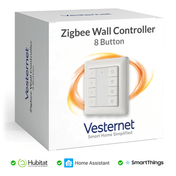
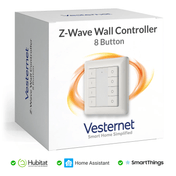
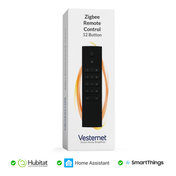
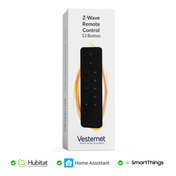
 Buttons and remotesOne press for a scene, no phone needed
How to automate home appliances
The simple way is a smart plug. Plug the appliance into it and your controller can switch it on a schedule, from a sensor, or when you leave. Plugs with energy monitoring also show what the appliance uses. Check the plug's maximum load against the appliance, and only automate things that are safe to run unattended. Appliances that need a button pressed after power comes back will not restart from a plug alone.
DIY or professional installation?
Much of a smart home is well within reach of a careful DIYer. The dividing line is mains wiring.
Do it yourself
- Controller set-up, plugs, battery sensors, remotes and radiator valves
- Building your own automations
- You'll need patience, and a willingness to read manuals and search forums
- You are responsible for checking devices work together
Use an electrician or installer
- In-wall modules, wall switches and anything on fixed wiring
- Boiler and heating controls
- Whole-house projects and new builds
- Work is tested and done to the regulations
Safety: mains wiring must be done by a competent person and must comply with your local regulations. If in doubt, use a qualified electrician. Many people fit the wired devices with an electrician, then set up the controller and automations themselves.
How big should you go?
You can stop at any of these stages. Each one builds on the last.
Starter
A controller and a handful of plug-in and battery devices. No wiring. Lamps, a few sensors, one or two useful automations. Ideal for renters.
Room by room
In-wall dimmers and switches for main lights, radiator valves, wall controllers for scenes. Some electrical work. The system starts to feel built in.
Whole home
Every circuit, heating zone and entry point covered, with blinds, energy monitoring and safety sensors. Best planned alongside a renovation.
Common mistakes to avoid
- Buying devices before choosing a controller. You end up with five apps and things that can't talk to each other.
- Doing the whole house at once. Start small, learn what works for your household, then expand.
- Forgetting the people you live with. Every light should still work from the wall. If guests can't turn a light on, the system has failed.
- Relying on the internet. Choose a controller that runs your rules locally, so lights and heating keep working when the broadband does not.
- Building a mesh from battery devices only. Sensors need mains-powered devices nearby to pass their messages on.
- Skipping the wiring check. Many UK light switches have no neutral wire and shallow back boxes. Check before you order modules.
- Missing the chance during building work. Deep back boxes and a neutral at each switch are easy to add while walls are open.
- Making it too clever. Simple, reliable rules beat complicated ones. Heating and lighting must still work if something fails.
How to learn home automation
The quickest way to learn is a small real project. Set up a controller, add one plug and one sensor, and build a single rule. You'll understand triggers, conditions and actions within an evening.
From there:
- Read the controller guide and the Z-Wave and Zigbee guides to understand what sits underneath.
- Copy proven recipes from our lighting automation ideas.
- Use your controller's community forum. Most problems have been solved before.
- Browse all our guides by topic.
What you'll need
- A smart home controller
- Smart plugs for a no-wiring start
- Sensors to trigger your first automations
- Heating controls or in-wall modules when you are ready to go further