In short: A smart lighting system has three parts: devices that switch or dim your lights, sensors and buttons that tell the system what is happening, and a controller that runs the rules. Start with one room and one simple rule, then copy the 15 recipes below.
Who this guide is for
- You want ideas for what smart lighting can do, room by room.
- You're working out how to make your existing lights smart.
- You have smart devices already and want automations that work every time.
What can a smart home lighting system do?
A smart home lighting system switches and dims your lights for you, based on the time, who is home and what is happening in each room. You still have a switch on the wall. The system adds everything a switch can't do.
Comfort
The right light for the time of day: bright for cooking, low for a film, a gentle fade to wake up to.
Convenience
Lights that come on as you walk in, and one button by the bed that turns the whole house off.
Saving energy
Lights that turn themselves off in empty rooms and dim late at night.
Security
Outside lights on motion, and lamps that come on in the evening while you are away.
How does lighting automation work?
Every automation, on every controller, is built from the same three parts:
- Trigger. The event that starts it: motion, a button press, a door opening, a time, or sunset.
- Condition. An optional check that must be true: it is dark, someone is home, it is after bedtime.
- Action. What happens: a light turns on at a set level, a scene runs, a blind closes.
Scenes and automations: what's the difference?
A scene is a saved set of device states, such as "Film: ceiling lights off, lamp at 30%, blinds closed". A scene does nothing until something runs it. An automation is the rule that decides when. Build the scene first, then run it from a button, a schedule or a sensor.
How to make your home lights smart: bulbs, plugs, switches or modules?
There are four ways to make a light smart. Most homes end up with a mix.
| Option | Best for | Fitting | Watch out for |
|---|---|---|---|
| Smart plug | Table and floor lamps | Plug in, no wiring | Most plugs switch on and off only |
| Smart bulb | One or two fittings, colour | Swap the bulb | Stops working if someone turns the wall switch off |
| In-wall module | Ceiling lights, keeping your existing switches | Wired behind the switch or at the light | Needs space in the back box and the right wiring |
| Smart wall switch or dimmer | Ceiling lights, a new look on the wall | Replaces the switch | Check wiring and back box depth |
For ceiling lights, a module or smart switch is usually the better long-term choice. The wall switch keeps working for guests and family, and one device controls every lamp on the circuit. More detail in Lighting control: switches, dimmers and modules.
 Motion sensorsTurn lights on when someone walks in, and off when the room is empty
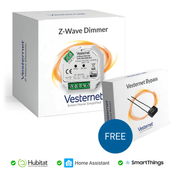
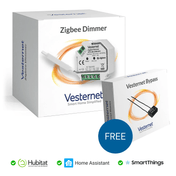
 Dimmer modulesFit behind the switch and set any light level
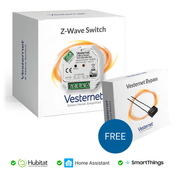
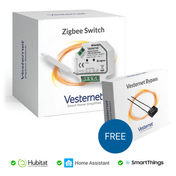
 Wall switches and dimmersReplace the switch on the wall
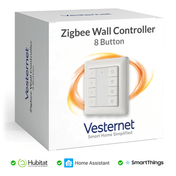
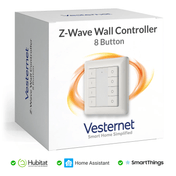
 Wall controllersBattery buttons that run scenes, fitted anywhere
 Smart plugsThe quickest way to automate a lamp
 Blind and shutter modulesOpen and close motorised blinds with the lights
Smart home wiring ideas for lighting
If you are rewiring, extending or decorating, a few small choices make smart lighting much easier later:
- Ask for a neutral wire at each light switch. Many UK switches have no neutral. Some modules work without one, but a neutral gives you far more choice.
- Fit deep back boxes. A module needs room behind the switch.
- Split big rooms into more than one circuit (ceiling, wall lights, worktops) so scenes have something to work with.
- Put lamp sockets where lamps will go. A plug on a lamp is the cheapest scene lighting there is.
Safety: modules and wall switches connect to mains wiring. The work must be done by a competent person and must comply with your local wiring regulations. If you are not sure, use an electrician. Plugs, bulbs and battery devices need no wiring.
See Wiring: neutral, no-neutral and 2-way circuits before you buy.
How to control smart lights
A good system gives everyone in the house a way to control the lights that suits them. You don't have to pick one.
 The wall switchWorks as it always has, for everyone
 Wall controllersOne press runs a scene
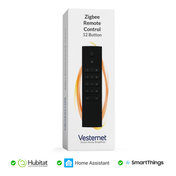
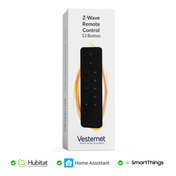
 Remotes and buttonsBy the bed or on the sofa
 SensorsLights that react without being asked
On top of these you get your phone (the controller's app, at home or away), schedules (set times, sunrise and sunset) and voice. Most controllers link to Alexa and Google Home, and some to Apple Home, so your lights and scenes can be controlled by voice. Check which assistants your controller supports. Voice is handy, but it should never be the only way to turn a light on.
15 smart lighting automation ideas, room by room
Each recipe is written as trigger (when), condition (only if) and action (then), with the device types you need. Most can be built on any of the controllers we sell, though the steps and names differ. Times and levels are starting points to adjust.
Hallway, stairs and landing
1. Night light on the stairs
- When: motion on the landing
- Only if: the house is in Night mode
- Then: landing light on at 10%, off 2 minutes after motion stops
- You need: a motion sensor and a dimmer
2. Welcome home
- When: the front door opens
- Only if: it is after sunset
- Then: hall light on, off after 5 minutes
- You need: a door sensor and a switch module
Living room
3. Film scene on one button
- When: a button is pressed
- Only if: no condition
- Then: ceiling lights off, lamp at 30%, blinds closed
- You need: a wall controller, a dimmer and a plug
4. Lamps on at dusk
- When: 20 minutes before sunset
- Only if: someone is home
- Then: table lamps on, off at bedtime
- You need: smart plugs
5. Blinds closed at sunset
- When: sunset
- Only if: the patio door is shut
- Then: blinds close, reopen at a set time in the morning
- You need: a blind module on a motorised blind, and a door sensor
Kitchen
6. Worktop lights as you walk in
- When: motion in the kitchen
- Only if: the room is dark
- Then: under-cabinet lights on, off 10 minutes after motion stops
- You need: a motion sensor with a light sensor, and a switch module
Bedroom
7. Wake-up fade
- When: 20 minutes before a set wake-up time
- Only if: it is a weekday and you are home
- Then: bedroom light fades from 1% to 60%
- You need: a dimmer
8. Bedtime button
- When: the bedside button is pressed
- Only if: no condition
- Then: every light and lamp off, house set to Night mode
- You need: a button or remote
9. Night path to the bathroom
- When: motion beside the bed
- Only if: the house is in Night mode
- Then: a low lamp and the landing light on at 5%, off after 3 minutes
- You need: a motion sensor, a dimmer or a dimmable lamp
Bathroom
10. Light and fan that look after themselves
- When: motion, or humidity rises above your set level
- Only if: no condition
- Then: light on, at 10% in Night mode. Fan runs until humidity falls back
- You need: a motion sensor, a humidity sensor and modules rated for the location
Outside
11. Porch light at dusk
- When: sunset
- Only if: no condition
- Then: porch light on, off at 11pm
- You need: a switch module
12. Motion light for the drive
- When: motion outside
- Only if: it is dark
- Then: outside lights on for 5 minutes. If nobody is home, send a notification
- You need: an outdoor-rated motion sensor and a switch module
Whole house
13. All off when you leave
- When: the last person leaves, or you press a button by the door
- Only if: no condition
- Then: all lights off, chosen plugs off, house set to Away mode
- You need: a wall controller by the door, or phone presence in your controller's app
14. Holiday lights
15. Smoke alert
- When: a smoke alarm sounds
- Only if: no condition
- Then: every light on at 100%, blinds open, notification sent
- You need: a connected smoke alarm. A siren is optional
Recipe 15 is an extra layer. It never replaces working smoke alarms fitted to the regulations where you live.
Which lighting systems work best with home automation platforms?
The ones that use an open standard. Z-Wave, Zigbee and Matter devices from different brands join the same controller, so a motion sensor from one maker can drive a dimmer from another. Systems locked to one brand's app are harder to combine. See Z-Wave, Zigbee and Will it work with my system?
Each controller has its own name for automations, but they all follow the trigger, condition, action pattern.
| Controller | Where you build automations | Good to know |
|---|---|---|
| Hubitat | Room Lighting, Basic Rules and Rule Machine apps | Rules run on the hub itself |
| Homey Pro | Flows, built from "When", "And" and "Then" cards | Very visual, quick to learn |
| Home Assistant | Automations, scenes and scripts | The most flexible, with more to learn |
| Aeotec Smart Home Hub (SmartThings) | Routines in the SmartThings app | Simple "if" and "then" set-up on your phone |
| Fibaro Home Center | Scenes, built from blocks or written in Lua | Strong Z-Wave device settings |
Not sure which to choose? Read Choosing a smart home controller.
How to set up smart lighting
- Pick one roomThe hallway or living room is a good first project. Write down what you want to happen in plain words.
- Choose controller and devicesOne controller, then a module, switch or plug for each light, and a sensor or button to trigger it.
- Add devices and name themAdd mains-powered devices first. Use clear names such as "Hall ceiling" so rules are easy to read.
- Build one rule and live with itRun it for a week, adjust the timings, then add the next.
The best way to automate home lighting for safety and savings
Do smart lighting controls save energy?
Yes, by cutting waste. The savings come from three habits the system takes over: turning lights off in empty rooms, dimming late at night, and switching everything off when the house is empty (recipes 6, 9 and 13). With LED lamps the saving on lighting alone is modest. Use the same sensors and Away mode for your heating and the effect is much larger.
Safety
Low-level lights on stairs and landings at night prevent trips. Outside lights on motion make paths safer and show that someone is around. Lamps that follow a varied pattern while you are away make the house look lived in (recipes 1, 12 and 14).
How to build automations that work every time
- Keep manual control. Every light should still work from the wall. If the automation gets it wrong, people need a simple way to override it.
- Use modes. Home, Away and Night modes let one rule behave differently through the day without a tangle of time checks.
- Be generous with off timers. A light that goes off while someone is sitting still is the fastest way to lose the family's support. Start long and shorten.
- Add an "it is dark" condition. Many motion sensors measure light level too (check the product page).
- Place motion sensors with care. Aim them across the route people walk, away from radiators and direct sun.
- One job per rule. Two rules controlling the same light will fight. Give each light one owner.
- Prefer rules that run locally. Lights should not depend on your internet connection.
Smart lighting questions
Can Alexa control my lights?
Usually. Most controllers link to Alexa and Google Home, and some to Apple Home. Once linked, your lights and scenes appear there for voice control. Check which assistants your controller supports.
Can my lighting be completely automatic?
Nearly. Hallways, stairs, bathrooms and outside lights suit full automation. Living rooms and bedrooms work better with scenes on a button, because the system cannot know whether you are reading or watching a film.
How difficult is it to install a smart lighting system?
Plugs, bulbs and battery sensors take minutes. Modules and wall switches involve mains wiring and are a job for a competent person. Building the rules is the easy part once the devices are in.
Do I need a hub?
For lights that react to sensors and buttons from different brands, yes. The controller is where the rules live.
What you'll need
- A smart home controller
- Dimmers, switch modules or smart plugs for each light
- Motion sensors and door sensors as triggers
- Wall controllers and remotes to run scenes