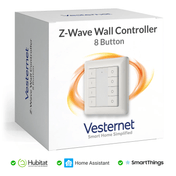
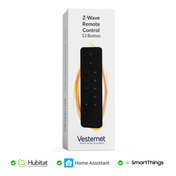
The VES-ZW-WAL-003 is a Z-Wave Wall Controller / Remote Control and offers the following features:
- Two buttons with simple on / off markings
- Pushed, held and released events for each button
- Standard 80mm x 80mm form factor with sticky pad or screw mounting
- Indicator LED
- Long life CR2450 Battery
- Z-Wave Plus with S2 Security
A manual for this device can be downloaded here.
Vesternet Z-Wave Device Configuration Files
These are officially available via the Z-Wave JS codebase, meaning that with a recent Z-Wave JS installation Vesternet Z-Wave devices should work out-of-the-box in Home Assistant.
Sometimes changes to the device configuration files can take a while to appear in the official Z-Wave JS codebase, so you can also download them direct from our Github repository.
Adding device configuration files manually is possible via Z-Wave JS UI if you have that available, simply navigate to your config location and create a file there, pasting in the code where appropriate.

More information on this is available in the Z-Wave JS UI documentation.
Please report any issues with the Vesternet Z-Wave Device Configuration Files by submitting a technical request ticket.
This Vesternet Device has the following features when used with our supporting Device Configuration File in Z-Wave JS.
- Supports Pushed, Held, and Released Events for both buttons.
- Reports Battery Level Events.
- Can be used as a "Trigger" for Pushed, Held, and Released Events in Logic.