Energy bills are no longer a background concern — they're front of mind for millions of households across the UK. As consumption costs rise and awareness of energy waste grows, real-time energy monitoring has become one of the most practical tools a homeowner can invest in. The trouble is, most energy consumption is invisible. You flip switches, run appliances, and heat water without ever seeing the numbers — until the bill arrives. Choosing the right monitoring interface changes that entirely, putting live data in your hands so you can act on it rather than react to it.
This article compares two capable but distinctly different devices: the RFXCom 5 Channel S0 Pulse Meter USB and the Zigbee Frient Electricity Meter Interface 2 P1. Both are designed to bring energy consumption data into your home setup, but they go about it in very different ways. By the end, you'll have a clear picture of which device fits your meters, your smart home platform, and your monitoring goals.
At Vesternet, we've spent years helping UK homeowners, installers, and DIY enthusiasts navigate the smart home landscape. Our approach is straightforward: provide honest, technically grounded guidance that helps you make informed decisions. The products we carry are tested and trusted, and when we compare them, we do it without bias — because the right recommendation depends entirely on your setup, not on which product we'd prefer you to buy.

Inside the RFXCom 5 Channel S0 Pulse Meter USB: Multi-Utility Monitoring Over USB
The RFXCom 5 Channel S0 Pulse Meter USB is built for breadth. Rather than locking you into a single utility type, it monitors up to five S0 pulse inputs simultaneously — covering electricity (kWh), water, gas, and any other S0-compatible meters you have on your property. S0 pulse technology works by translating the physical pulses that utility meters generate — essentially counting each unit of consumption as a binary signal — into data your home automation system can interpret and log in real time. It's a reliable, widely adopted protocol across a broad range of meter manufacturers.
Connecting the device follows a straightforward 2-wire S0 wiring method. The P1 terminal connects to the positive terminal of your pulse meter, and P1-GND connects to the negative. However, because terminal layouts differ across meter brands and models — with S0 pulse output terminals commonly labelled 5 & 6, 20 & 21, or marked with directional arrows — professional electrician installation is recommended. Accessing the meter cabinet and correctly identifying the right terminals is not a task to rush. The device itself is compact and USB-powered, making it physically unobtrusive once installed, with USB serving as both its power source and its data interface to a connected host system.
Key Technical Highlights
- Supports up to 5 S0 pulse inputs via a single USB connection
- Compatible with electricity (kWh), water, gas, and other S0-capable meters
- Uses 2-wire S0 wiring with binary input sensor technology
- USB-powered with a compact, space-efficient form factor

Inside the Zigbee Frient Electricity Meter Interface 2 P1: Wireless Energy Awareness at the Meter
The Zigbee Frient Electricity Meter Interface 2 P1 takes a completely different approach to energy monitoring — one centred on simplicity and wireless integration. Rather than requiring external wiring or a USB connection, it plugs directly into the P1 port of a compatible electricity meter, drawing both power and data from that single connection. There are no cables to route, no additional power supplies to arrange, and no terminals to identify. If your electricity meter has an enabled P1 port, setup is genuinely as straightforward as plugging the device in.
Once connected, the Frient communicates via Zigbee 3.0, feeding real-time power and energy consumption data wirelessly to a compatible smart home hub. This makes it a natural fit for households already running a Zigbee ecosystem. The device operates within a temperature range of 0°C to 50°C, which comfortably covers the conditions found in most indoor meter cupboards. It works with most modern electricity meters, though local specifications can vary — so checking your meter's manual or confirming with your electricity provider beforehand is always a sensible step.
Key Technical Highlights
- Powered directly from the electricity meter's P1 port — no external supply needed
- Wireless Zigbee 3.0 communication for seamless hub integration
- Plug-and-play installation with no additional wiring required
- Operating temperature of 0°C to 50°C suits standard indoor meter environments
S0 Pulse vs P1 Port: How These Two Devices Differ in Design, Connectivity, and Scope
At a glance, both devices are energy monitoring tools. Look closer, and they're solving quite different problems. Understanding where they diverge is the most useful thing you can do before choosing between them.
Connectivity and Placement
The RFXCom connects to a host system via USB — straightforward and reliable, but it means you need a USB-capable device (a home automation server, a Raspberry Pi, or similar) within cable reach of your meter location. The Frient, by contrast, communicates wirelessly over Zigbee 3.0. This removes the physical cable constraint entirely, which matters a great deal when your meter cupboard is in an awkward corner of the house.
Utility Scope
- RFXCom: monitors up to 5 S0 pulse inputs across electricity, gas, water, and other compatible meters
- Frient: dedicated exclusively to electricity meters with an enabled P1 port
- If multi-utility monitoring matters, the RFXCom is the only option of the two
Installation Complexity
The RFXCom requires correct terminal identification before wiring — S0 pulse output terminals vary by meter brand, and professional electrician installation is recommended to ensure accuracy and safety. The Frient sidesteps this entirely. Being powered directly from the P1 port, there is no additional wiring involved. It's a plug-and-play experience in the truest sense.
Hub Dependency and Sensor Method
The Frient requires a Zigbee 3.0-compatible smart home hub to function — without one, there's nowhere for the data to go. The RFXCom connects directly to a host system via USB and doesn't require a Zigbee hub. Their sensor approaches also differ: the RFXCom uses binary input (counting S0 pulses), whereas the Frient reads data directly from the P1 port. Direct P1 port reading typically delivers richer, more granular electricity consumption data, while S0 pulse counting offers broader compatibility across utility types. Neither method is inherently superior — the right one depends on what you're measuring and how you want to use the data.
- RFXCom: USB-connected, binary input, no Zigbee hub required
- Frient: Zigbee 3.0 wireless, direct P1 port data, hub dependency applies
- Multi-utility scope favours the RFXCom; ease of installation favours the Frient
Real-World Usability: Speed, Reliability, and Day-to-Day Energy Tracking Performance
Specifications only tell part of the story. What matters in practice is how each device behaves once installed and integrated into your daily setup. For the RFXCom, reliability is closely tied to two things: stable USB connectivity to the host machine, and correct terminal wiring at installation. When both are in order, pulse counting across up to five simultaneous S0 inputs is consistent and dependable. Performance can vary if wiring is imprecise or if the host system experiences interruptions — making a well-configured, always-on home automation server the ideal partner for this device.
The Frient benefits from Zigbee 3.0's mesh networking architecture, which means signal reliability improves as more Zigbee devices are added to your home. In meter cupboards where routing a USB cable would be impractical or unsightly, the wireless operation is a genuine practical advantage. Data flows seamlessly from the P1 port to your hub, keeping energy consumption figures current without manual intervention.
Day-to-Day Considerations
- RFXCom performance depends on USB host stability and accurate terminal wiring
- Frient reliability scales with Zigbee mesh strength in your home
- Both devices feed consumption data into home automation platforms for logging and alerts
- Frient's wireless design is a clear advantage in physically constrained meter locations
RFXCom 5 Channel S0 Pulse Meter USB: Where It Excels and Where It Falls Short
The RFXCom earns its place through versatility. Supporting up to five simultaneous S0 pulse inputs from a single compact device, it's one of the most comprehensive multi-utility energy monitoring solutions available at this level. Whether your focus is electricity (kWh), water, gas, or a combination of all three, the 2-wire S0 wiring method means it's broadly compatible across a wide range of meter brands and models. Its USB-powered design keeps the footprint small and the power requirements minimal.
Strengths
- Five simultaneous S0 pulse inputs from a single device
- Compatible with electricity, gas, water, and other S0-capable meters
- Compact, USB-powered form factor
- Broad applicability across many meter brands using 2-wire S0 connections
Limitations
- Professional electrician installation recommended — terminal identification can be complex
- Dependent on a USB-connected host system being available near the meter
- No native wireless communication — less suited to hub-centric or wire-free setups
- S0 terminal labelling varies by meter, adding installation variables
Zigbee Frient Electricity Meter Interface 2 P1: Where It Excels and Where It Falls Short
The Frient's strongest selling point is how little it asks of you. Powered directly from the electricity meter's P1 port, there is no external wiring, no separate power supply, and no cable management to worry about. Plug it in, pair it with a Zigbee 3.0-compatible hub, and you have real-time electricity consumption data flowing into your smart home platform. That combination of plug-and-play installation and wireless operation makes it genuinely accessible to a wide range of users — from renters who can't modify wiring to experienced smart home enthusiasts who simply want frictionless integration.
Strengths
- True plug-and-play — powered and data-fed entirely from the P1 port
- Wireless Zigbee 3.0 connectivity with no USB cabling required
- Tight integration with compatible smart home hubs for real-time energy consumption tracking
- Enables load shifting to off-peak hours, helping reduce electricity costs
Limitations
- Electricity monitoring only — cannot track gas or water consumption
- Requires a Zigbee 3.0-compatible hub to function
- Only works with electricity meters that have an enabled P1 port
- Compatibility with less common or older meter models may need verification
Matching the Right Energy Monitor to Your Home, Setup, and Monitoring Goals
The question isn't which device is better — it's which one fits your situation. Both the RFXCom and the Frient are well-designed tools, but they serve different needs, and placing the wrong one in your setup will leave you frustrated rather than informed. The decision comes down to four practical factors: what you want to monitor, what meters you have, what smart home infrastructure is already in place, and how much installation effort you're willing to take on.
Choose the RFXCom 5 Channel S0 Pulse Meter USB If:
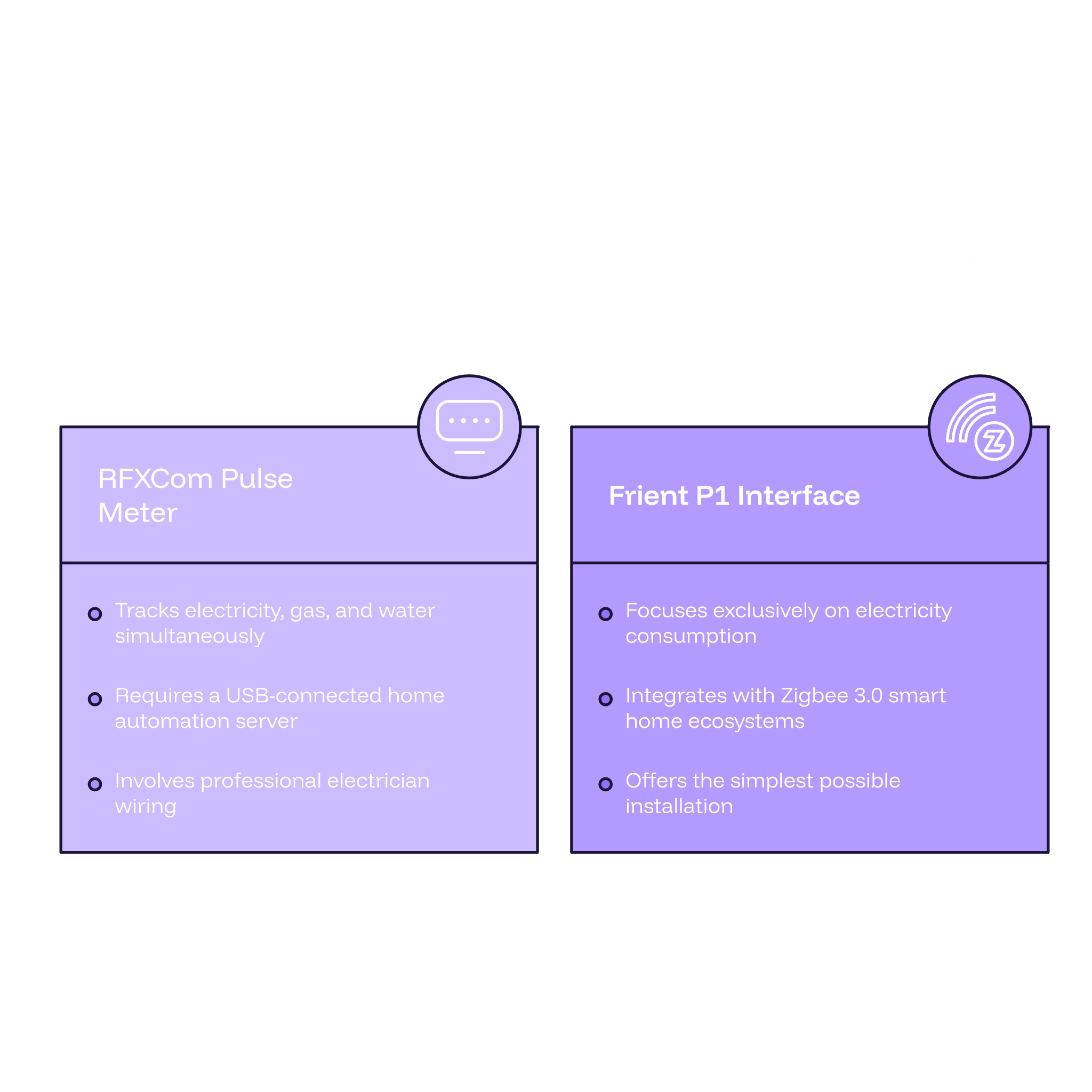
- You want to monitor electricity (kWh), gas, and water from a single device
- Your meters are S0-compatible but don't have an enabled P1 port
- You already have a USB-connected home automation server or hub in place
- You're comfortable arranging professional electrician installation for a one-time setup
Choose the Zigbee Frient Electricity Meter Interface 2 P1 If:
- Your electricity meter has an enabled P1 port
- You're already running a Zigbee 3.0 smart home ecosystem
- You want the simplest possible installation with no additional wiring
- You're a renter or prefer a minimal-impact setup
Energy-conscious users who want to shift load away from peak hours and reduce their electricity bill will find the Frient's real-time consumption data particularly actionable when paired with a capable hub. Those managing multiple utilities across a property — or running a more complex home automation server environment — will benefit from the RFXCom's five-input capacity and broad meter compatibility. Neither device is objectively superior. The right choice is the one that matches your meters, your platform, and your monitoring goals.
RFXCom S0 Pulse Meter vs Frient P1 Interface: Making the Right Call for Your Energy Setup
To bring it all together: the RFXCom 5 Channel S0 Pulse Meter USB is a powerful, multi-utility energy monitoring device that reads up to five S0 pulse inputs — covering electricity, gas, and water — through a compact, USB-connected design. It's the stronger choice for users who need breadth of monitoring and already have a USB-capable host system to pair it with. The Zigbee Frient Electricity Meter Interface 2 P1, meanwhile, delivers effortless wireless electricity monitoring for homes with a P1-enabled meter and an active Zigbee 3.0 ecosystem. Its plug-and-play simplicity and self-powered operation make it one of the most accessible energy monitoring tools available.
The better device is whichever one fits your meter type, utility scope, smart home platform, and preferred installation experience. There's no universal winner here — only the right tool for your specific setup. Both products are available to explore at Vesternet, along with their full specifications and compatibility details. If you're unsure which direction to go, the Vesternet team is always on hand to help you work through the options and find the best fit for your home.
So, Which Energy Monitor Should You Choose?
If you need to monitor multiple utilities — electricity, gas, and water — across up to five meters simultaneously, and you have a USB-connected system ready to receive data, the RFXCom 5 Channel S0 Pulse Meter USB is the more versatile and comprehensive choice. It is particularly well-suited to users with S0-compatible meters, home automation enthusiasts running a local server, and those willing to arrange professional installation for a one-time, multi-utility setup.
If your priority is effortless, wireless electricity monitoring and you have a modern meter with an enabled P1 port alongside a Zigbee 3.0-compatible hub, the Frient Electricity Meter Interface 2 P1 is the smarter, simpler solution. Its plug-and-play design, self-powered operation, and seamless hub integration make it ideal for anyone wanting real-time electricity insights with minimal installation effort.
Whichever direction you lean, both devices are available to browse at Vesternet. Explore their full specifications, compare compatibility with your existing setup, or reach out to the Vesternet team for expert guidance tailored to your home. Whether you need the S0 Pulse Meter USB or the Frient Electricity Meter Interface, the right fit for your home is just a click away.