In short: To use Zigbee devices with Home Assistant you need a Zigbee USB coordinator (a dongle), such as the Sonoff USB-Dongle MG24, the Aeotec Zi-Stick or the Aeotec Z-Stick 10 Pro, plus one of two pieces of software: ZHA, which is built into Home Assistant and is the simpler start, or Zigbee2MQTT, a separate app that supports a very wide range of devices and gives more control. Most Zigbee 3.0 devices then pair directly, with no brand hub. Our Works with Home Assistant collection lists the devices we sell that work with it.
Who this guide is for
- You run Home Assistant, or plan to, and want to add Zigbee devices.
- You are choosing between ZHA and Zigbee2MQTT.
- You want to know which coordinator to buy and which devices to start with.
ZHA or Zigbee2MQTT?
Home Assistant does not speak Zigbee by itself. Software has to drive the Zigbee stick and turn each device into something Home Assistant understands. There are two popular choices, and both work with the same USB sticks.
ZHA (Zigbee Home Automation)
- Built into Home Assistant. Add it from Settings, Devices and services
- Nothing else to install
- Devices appear straight away in Home Assistant
- Best for a first Zigbee network
Zigbee2MQTT
- A separate app (formerly called an add-on) that runs alongside Home Assistant
- Also needs an MQTT broker, such as the Mosquitto app
- Very wide device support and more settings per device
- Best if you like to tinker or have unusual devices
In plain words: start with ZHA unless a device you want is only supported by Zigbee2MQTT. You can move later, but devices have to be paired again, so it is worth deciding early. Run one or the other on a stick, not both at once.
Which coordinator (dongle) do I need?
The coordinator is the radio that creates your Zigbee network. There is only one per network. Home Assistant Green has no Zigbee radio of its own, so it needs a USB coordinator too.
| Coordinator | Radios | What the product page says |
|---|---|---|
| Sonoff USB-Dongle MG24 | Zigbee | EFR32MG24 chipset, adjustable antenna, open-source platform support, comes with a 1 m USB extension cable |
| Aeotec Zi-Stick | Zigbee 3.0 | Works with Home Assistant, Zigbee2MQTT and openHAB. Local, no cloud |
| Aeotec Z-Stick 10 Pro | Z-Wave and Zigbee | Both radios in one slim stick. Works with Home Assistant and Zigbee2MQTT |
 Sonoff USB-Dongle MG24Zigbee coordinator with antenna
 Aeotec Zi-StickCompact Zigbee 3.0 USB stick
 Aeotec Z-Stick 10 ProZ-Wave and Zigbee in one stick
Setting up Zigbee in Home Assistant
- Fit the stick on a USB extension leadKeep it clear of the computer, USB 3 ports and your Wi-Fi router. A metre or more helps.
- Add ZHA, or install Zigbee2MQTTHome Assistant often finds the stick by itself and offers to set up ZHA. For Zigbee2MQTT, install the MQTT broker and the Zigbee2MQTT app first.
- Pair mains-powered devices firstPlugs and in-wall modules act as routers and build the mesh. Start near the stick and work outwards.
- Pair battery devices where they will liveSensors and remotes join through the nearest router, so pair them in place rather than next to the stick.
- Give it a dayRoutes settle over the first day or so. A device that is slow at first often sorts itself out.
To pair a device, open the network for joining in ZHA or Zigbee2MQTT, then put the device into pairing mode. That is usually a button held for a few seconds or a battery tab pulled. The steps are in each device's manual.
Zigbee devices we sell that work with Home Assistant
These devices are listed as working with Home Assistant on their product pages. The full list is in our Works with Home Assistant collection.
| Type | Devices |
|---|---|
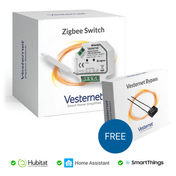
| In-wall modules | Vesternet Zigbee Dimmer, Vesternet Zigbee Switch, Vesternet Zigbee 2 Channel Switch, Vesternet Zigbee High Load Switch, Vesternet Zigbee Motor Controller, Sonoff ZBMINI Extreme without Neutral |
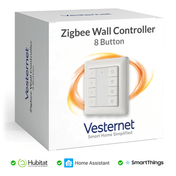
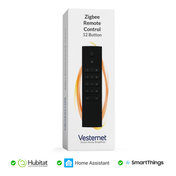
| Remotes and wall controllers | Vesternet Zigbee Remote Control, 12 Button, Vesternet Zigbee Wall Controller, 8 Button |
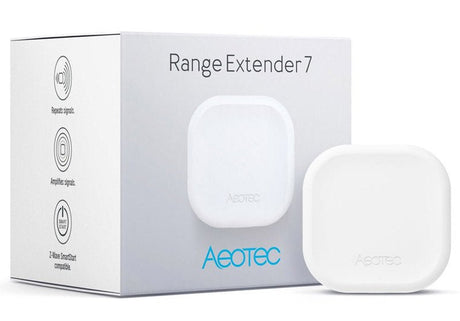
| Plugs and repeaters | Frient Smart Plug Mini, UK, Aeotec Range Extender Zi |
| Sensors and alarms | Frient Motion Sensor Pro, Aqara Temperature and Humidity Sensor T1, Frient Intelligent Smoke Sensor |
| Wall switches | Aqara Smart Wall Switch H1 (no neutral, single rocker), Sonoff Double Smart Wall Switch without Neutral |
| Radiator valves | Popp Smart Thermostat, Aqara Radiator Thermostat E1, Sonoff TRVZB. See Zigbee smart radiator valves |
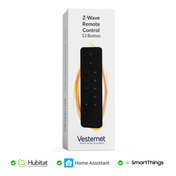
Vesternet own-brand Zigbee modules and controllers work with Hubitat, Home Assistant and SmartThings. Each product page also notes any limits, such as a feature that needs a particular app.
 In-wall dimmerAlso a router for your mesh
 Remote controlButtons for lights and scenes
 Smart plugUK plug, passes messages on
 Motion sensorBattery powered
Tips for a reliable Zigbee network
- Build the mesh first. Two or three mains-powered devices spread around the house make a big difference. A network of only battery sensors has no mesh at all.
- Pick a quiet channel. Zigbee shares the 2.4 GHz band with Wi-Fi. Zigbee channels 15, 20 and 25 sit between Wi-Fi channels 1, 6 and 11. Set the channel before you pair lots of devices, because changing it later can upset some of them.
- Back up. Home Assistant backups include your Zigbee settings. Take one before you change the coordinator or the software.
- Keep routers powered. A smart plug that gets switched off at the wall stops passing messages for the sensors that use it.
- Check before you buy. Zigbee 3.0 devices usually pair, but some features may need support in ZHA or Zigbee2MQTT. Look at the product page and our Will it work with my system? guide.
More on how the mesh works is in Zigbee explained and Zigbee and Z-Wave range. If you are still choosing a platform, see Choosing a smart home controller.
What you'll need
- Zigbee coordinators and USB sticks
- Devices that work with Home Assistant
- Smart plugs and in-wall modules to build the mesh
- Sensors
Häufig gestellte Fragen
How do I add Zigbee to Home Assistant?
Plug a Zigbee USB coordinator into your Home Assistant machine, ideally on a short USB extension lead. Then add the ZHA integration from Settings, Devices and services, or install the Zigbee2MQTT app with an MQTT broker. Either one creates your Zigbee network.
How do I add a Zigbee device to Home Assistant?
Open the network for joining in ZHA or Zigbee2MQTT, then put the device into pairing mode, usually by holding a button for a few seconds or pulling a battery tab. Pair mains-powered devices first, and pair battery devices where they will be used.
Does Home Assistant Green have Zigbee?
No. Home Assistant Green has no Zigbee radio built in, so you need a Zigbee USB coordinator such as the Sonoff USB-Dongle MG24, the Aeotec Zi-Stick or the Aeotec Z-Stick 10 Pro.
Do you need an Aqara hub for Home Assistant?
Not always. Several Aqara Zigbee devices we sell, such as the Radiator Thermostat E1, the Temperature and Humidity Sensor T1 and the Smart Wall Switch H1, are listed as working with Home Assistant and can pair with a Zigbee coordinator. Others list an Aqara hub, so check the product page.
Does Home Assistant work without internet?
Yes. Home Assistant runs on your own hardware, and ZHA and Zigbee2MQTT control Zigbee devices locally, so automations keep running if the internet goes down. Remote access from outside the home does need a connection.
What smart plugs work with Home Assistant?
Zigbee plugs such as the Frient Smart Plug Mini (UK) are listed as working with Home Assistant and also strengthen your Zigbee mesh. See our Works with Home Assistant collection for the full list.
Which Zigbee hub is best for Home Assistant?
Home Assistant uses a USB coordinator rather than a separate hub. The Sonoff USB-Dongle MG24 and Aeotec Zi-Stick are dedicated Zigbee coordinators. The Aeotec Z-Stick 10 Pro adds Z-Wave in the same stick, which suits a home that uses both.