In short: Sensors tell your smart home what is happening, so it can act without you. There are nine main types. Most homes start with motion, door and temperature sensors, then add leak and smoke sensors for protection. Nearly all of them need a hub to turn what they notice into actions.
Who this guide is for
- You want to know which types of smart home sensor exist and what each is used for.
- You're choosing between a PIR motion sensor and a microwave (mmWave) presence sensor.
- You have sensors that false trigger, miss people or run their batteries down.
What are smart home sensors, and how do they work?
A smart home sensor measures one thing (movement, a door opening, temperature, water on the floor) and reports it by radio. On its own it does very little. The useful part happens in your hub, which receives the report and runs a rule: turn on a light, send a notification, turn the heating down, close a valve.
Most sensors use Z-Wave, Zigbee or Thread (with Matter) because these use very little power. That is why a sensor the size of a matchbox can run for years on one battery. A sensor sleeps most of the time and wakes only to report a change.
- The sensor notices a changeMovement, an open door, a rise in humidity or water touching its contacts.
- It reports to the hubA short radio message, passed along by mains-powered devices if the hub is far away.
- The hub runs your rule"If the hall sensor sees movement after sunset, turn on the hall light for two minutes."
- Something happensA light, plug, radiator valve, siren or your phone responds, usually in under a second.
Sensors work with Hubitat, Homey Pro, Home Assistant, the Aeotec Smart Home Hub (SmartThings) and Fibaro Home Center. Check that your hub has the right radio for the sensor you choose. See Choosing a smart home controller and Will it work with my system?
Smart home sensors list: the 9 types
These are the nine types of home automation sensor you will come across. Many products combine two or three in one case (motion, temperature and light level is a common mix), which often costs less than buying each separately.
| Sensor type | What it detects | Usual power | Typical use |
|---|---|---|---|
| 1. Motion (PIR) | A warm body moving | Battery | Lights, security, occupancy |
| 2. Presence (mmWave) | Someone in the room, even sitting still | USB or mains (a few battery) | Lights that stay on while you read or work |
| 3. Door and window | Open or closed | Battery | Security, heating off when a window opens |
| 4. Temperature and humidity | Room climate | Battery | Heating zones, extractor fans, damp warnings |
| 5. Water leak | Water on the floor | Battery | Alerts, closing a shut-off valve |
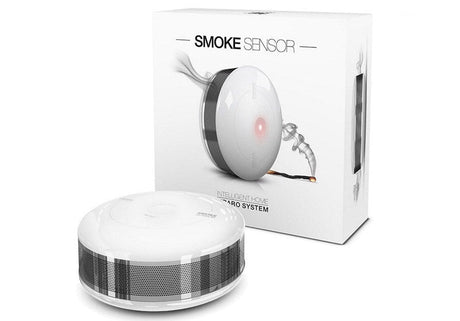
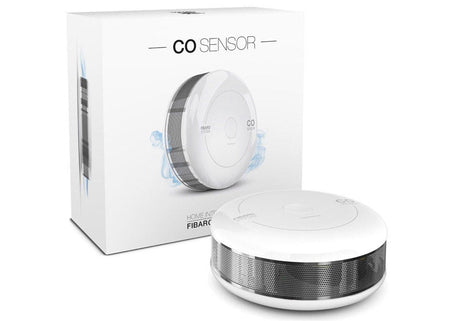
| 6. Smoke, heat and CO | Fire and carbon monoxide | Battery or mains | Alerts to your phone, lights on |
| 7. Vibration and tilt | Knocks, shaking, change of angle | Battery | Garage doors, windows, appliances finishing |
| 8. Air quality | CO2, particles, VOCs | USB or mains | Ventilation, reminders to open a window |
| 9. Energy | Electricity used | Mains | Tracking costs, spotting what is left on |
Light level (lux) is rarely sold as a sensor on its own. It is usually built into a motion sensor, so lights only come on when the room is actually dark.
Motion sensors: how do they work?
Most motion sensors use PIR, which stands for passive infrared. The sensor sends nothing out. It watches the heat that every warm object gives off, through a lens that splits the room into a fan of zones. When a person walks from one zone to the next, the heat pattern changes and the sensor reports motion.
PIR is cheap, reliable and uses almost no power, so a battery lasts a long time. It has two limits. It notices movement across its view more easily than movement straight towards it. And it only sees change, so a person sitting still at a desk or on the sofa disappears after a minute or two.
After motion, a sensor waits a set time before it reports "no motion". You can usually change this delay.

Presence sensors (mmWave radar)
A presence sensor uses low-power radar, usually at 24 GHz or 60 GHz, often called mmWave. It sends out radio waves and reads the reflections. It can pick up very small movements, such as breathing or typing, so it knows a room is occupied even when nobody is walking about.
Radar needs more power than PIR. Most presence sensors plug into USB or the mains. A few newer battery models pair a PIR (to wake up) with radar (to hold the room occupied).
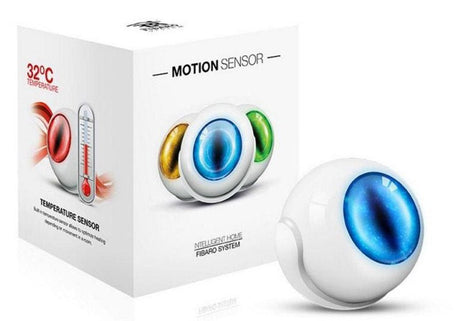
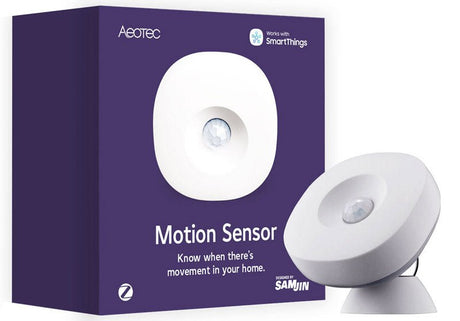
 PIR motion sensorBattery powered, stands on a shelf or sticks to a wall
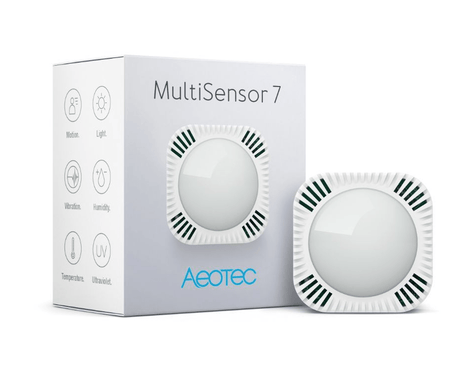
 Multi-sensorMotion plus temperature, humidity and light
 mmWave presence sensorPowered by USB, detects people sitting still
 PIR and radar combinedBattery presence sensing in one device
 Wall-mounted occupancy sensorFixed in place and mains powered
PIR vs microwave (mmWave) sensors: which works better?
Neither is better everywhere. PIR is the right choice for most rooms. A microwave or mmWave sensor earns its place where people stay still.
PIR motion sensor
- Detects body heat moving across its zones
- Runs for years on a battery
- Low cost and simple to place
- Does not see through walls or glass
- Misses people who are sitting still
- Can be fooled by sunlight, radiators and draughts
Microwave or mmWave sensor
- Detects tiny movements, including breathing
- Usually needs USB or mains power
- Costs more and needs more care in set-up
- Passes through thin partitions, glass and plastic
- Holds a room occupied while you sit or sleep
- Can be fooled by fans, curtains or movement next door
What is the difference between a PIR and a microwave sensor?
A PIR sensor is passive. It only receives heat. A microwave sensor is active. It transmits a signal and measures what bounces back. Older microwave sensors, common in commercial lighting, detect movement from the change in frequency of the reflection (the Doppler effect). The mmWave presence sensors sold for smart homes work at higher frequencies and are sensitive enough to detect a person who is almost still.
What is a dual technology (PIR and microwave) sensor?
A dual sensor has both. In alarm systems it only triggers when both agree, which cuts false alarms. In smart home presence sensors the two are used differently: PIR gives a fast first trigger and radar keeps the room marked as occupied.
Which should I choose?
- Halls, stairs, landings, utility rooms: PIR. People are always moving through.
- Living rooms, home offices, bathrooms, bedrooms: a presence sensor, or PIR with a long "no motion" delay.
- Security: PIR, ideally a pet-tolerant model if you have animals. Radar that sees through walls is a poor fit for an alarm.
- Hard-to-reach places with no socket: PIR, because of battery life.
Door and window sensors
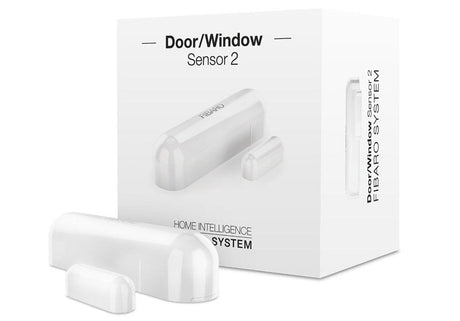
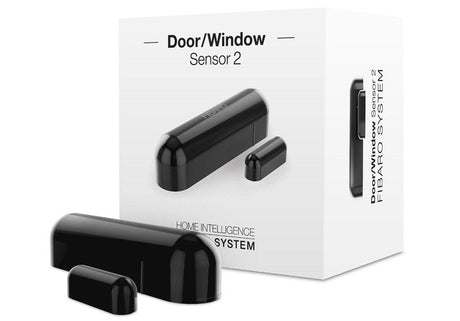
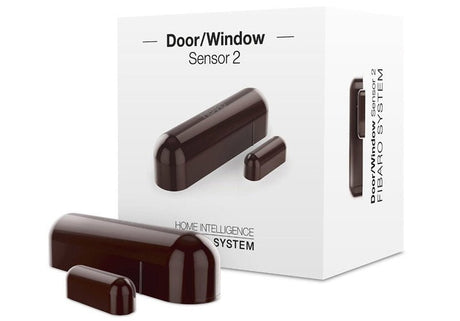
A door or window sensor (also called a contact sensor) has two parts: a small body with a reed switch, and a magnet. Fit one to the frame and the other to the moving part. When they separate, the sensor reports "open".
They are the simplest and most dependable sensors you can buy. Uses include security alerts, turning a radiator valve down while a window is open, lighting a cupboard or hallway when a door opens, and a reminder if the garage or back door is left open at night.
Slim strip and recessed versions hide inside the frame.

Vibration and tilt sensors
A vibration sensor reports knocks and shaking: glass being struck, a washing machine finishing its spin, a letterbox flap. A tilt sensor reports a change of angle, which makes it the right choice for an up-and-over garage door or a top-hung window, where a magnet contact is awkward to fit.
 Contact sensorSticks on with adhesive pads, no drilling
 Strip sensorThin enough to hide in the window frame
 Recessed sensorFits inside the door edge, out of sight
 Tilt sensorFor garage doors and top-hung windows
 Vibration sensorKnocks, shaking and appliance cycles
Temperature and humidity sensors
A room sensor reports temperature, and usually humidity, every few minutes or whenever the reading changes by a set amount. Use one to give each heating zone a true room reading (a radiator valve measures the air next to a hot radiator, which is not the same thing), to run a bathroom extractor fan until the steam has cleared, or to warn you about damp, an overheating server cupboard or a loft close to freezing.
More on heating in Heating: TRVs, thermostats and boilers.
Water leak sensors
A leak sensor sits on the floor with two or more metal contacts underneath. Water bridges the contacts and the sensor reports a leak within seconds. Put one under the kitchen sink, behind the washing machine and dishwasher, beside the hot water cylinder and near any pipe joint you can't see.
Some have a probe on a lead for tight spaces. Many also report temperature, which gives you a frost warning for free. Paired with a smart shut-off valve, a leak sensor can turn the water off before you even see the notification. That set-up is covered in Safety: smoke, CO and water leak.
 Temperature and humidityCoin-cell room sensor for a wall or shelf
 Outdoor sensor with displayFor gardens, garages and greenhouses
 Leak sensorSits on the floor where water would collect
 Leak sensor with probeReaches behind appliances and under baths
 Air quality sensorTracks the air you breathe indoors
Smoke, heat and carbon monoxide sensors
A smart smoke, heat or CO alarm sounds like any other alarm, and also tells your hub. That means a notification when you are out, lights on to show the way, and other sirens sounding around the house.
A smart alarm adds to the alarms your home is required to have. It is not a substitute for them. Rules, placement and testing are in our Safety: smoke, CO and water leak guide.
Air quality sensors
Air quality sensors measure one or more of: carbon dioxide (CO2, a sign of a stuffy, under-ventilated room), fine particles (PM2.5, from cooking, candles and traffic) and volatile organic compounds (VOCs, from paints, cleaners and new furniture). Use the readings to boost a ventilation fan or to prompt you to open a window.
Do not confuse CO2 with CO. A CO2 sensor is about comfort. A carbon monoxide (CO) alarm is a life-safety device and is a different product.
Energy sensors
Energy sensors measure electricity. There are three common forms:
- Smart plugs with metering show what one appliance uses. They are the easy starting point.
- In-wall modules with metering do the same for a lighting circuit or fixed appliance.
- Clamp meters clip around the cables at your consumer unit and measure the whole house or a single circuit. Some smart meter interfaces read your electricity meter directly.
Beyond tracking costs, power readings make good triggers. "The washing machine has dropped below 5 watts" is a reliable way to know the cycle has finished. Anything fitted inside a consumer unit or wired to the mains must be installed by a competent person and comply with local regulations. See Plugs, sockets and energy monitoring.

Where should each sensor go?
- Motion (PIR): high in a corner, around 2 metres up or as the manual says, looking across the path people walk. Keep it away from radiators, direct sunlight, draughts and anything that moves with heat.
- Presence (mmWave): facing the seats, desk or bed. Keep fans, curtains and hanging plants out of view. Lower the range if it picks up the next room.
- Door and window: body on the frame, magnet on the moving part, with the gap the manual allows when closed. Metal frames can shorten radio range and may need a spacer.
- Temperature and humidity: on an inside wall at about chest height, away from radiators, sun, draughts and the cooker.
- Leak: flat on the floor at the lowest point near the appliance or pipe. Test it with a damp cloth.
- Smoke, heat and CO alarms: smoke alarms go in hallways and on landings first, then the living room. A heat alarm goes in the kitchen. Full placement is in the Safety guide.
Pair a battery sensor in the place it will live, not next to the hub. See Building a reliable network.
Can I use a motion sensor outdoors?
Only if it is made for it. Most motion sensors are indoor devices, and a rating such as IP20 or IP4X means no protection from rain. For a garden, drive or porch, choose a sensor sold as outdoor or weatherproof and check its IP rating on the product page. Even then, fit it under an eave or porch where you can. Wind-blown plants and passing cars cause most outdoor false triggers.
Battery or mains?
Battery sensors
- Fit anywhere in minutes, no wiring
- Sleep between reports to save power
- Do not pass messages on for other devices
- Need a battery now and then
Mains or USB sensors
- Never need a battery
- Can report more often and in more detail
- Usually strengthen your mesh by passing messages on
- Need a socket or wiring nearby
Motion, door, temperature and leak sensors are nearly all battery powered. Presence, air quality and energy sensors are mostly mains or USB powered, because they measure all the time.
How long do sensor batteries last?
One to three years is typical, and some small sensors do better. The figure on the box comes from a controlled test with few reports. Real life is busier, so treat it as a best case.
Why did my battery run out after a few days?
A flat battery within days rarely means a faulty sensor. Check these first:
- It reports too often. A motion sensor in a busy kitchen, or a temperature sensor set to report every tiny change, sends far more messages than the test assumed. Lengthen the "no motion" delay and widen the reporting thresholds.
- The wake-up interval is too short. Z-Wave battery devices wake on a timer to check in with the hub. Waking every few minutes drains the battery. A door sensor can use the longest interval offered.
- The hub changed the settings. Some hubs apply their own values when a device joins. Compare them with the manufacturer's defaults.
- The signal is weak. A sensor at the edge of range retries every message. Add a mains-powered device nearby.
- It has just joined or updated. Pairing, interviews and firmware updates use a lot of power. A battery that came in the box may also be part used. Fit a fresh one of the type the manual states.
How to use smart home sensors in automations
One sensor can do several jobs. A living room motion sensor can switch the lights in the evening, tell the heating the room is in use, and act as an intruder sensor when you are away. You need fewer sensors than you might think.
| When this happens | Do this |
|---|---|
| Motion in the hall after sunset | Hall light on at 30% for two minutes |
| Bedroom window opens | Turn that radiator down until it closes |
| Bathroom humidity rises quickly | Extractor fan on until it falls again |
| Leak sensor gets wet | Close the water valve, sound a siren, notify phones |
| Washing machine power drops to standby | "Washing is done" message |
 SensorsThe triggers for your automations
 ControllersThe hub that runs the rules
 PlugsSwitch lamps and appliances
 ModulesControl fixed lights and fans
 HeatingRadiator valves and thermostats
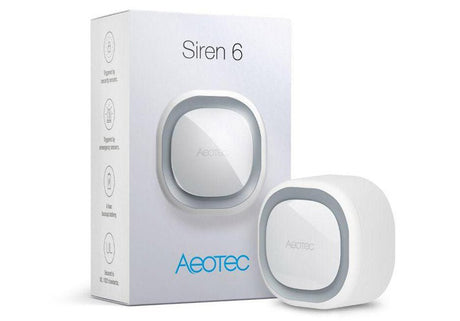
 SirensMake alerts heard at home
For ideas and how to build rules that behave, see Automations and scenes that work.
Z-Wave, Zigbee or Matter sensors?
All three do the job. Choose the one your hub supports best, then pick the sensor on its features.
- Z-Wave sensors use 868 MHz in the UK and Europe, which passes through walls well and keeps clear of Wi-Fi. See Z-Wave explained.
- Zigbee has the widest choice of small, low-cost sensors. See Zigbee explained.
- Matter over Thread sensors work across Apple, Google, Amazon and SmartThings as well as dedicated hubs. You need a Thread border router, either built into the hub or as a separate device.
What you'll need
- Smart home sensors, or go straight to motion and presence, door and window, temperature and humidity and water leak sensors
- A smart home controller to run your automations
- Smart plugs or in-wall modules for the sensors to control, and to strengthen the mesh