In short: A smart home security set-up uses door, window and motion sensors to tell your hub that something has happened, and sirens, lights, locks and phone alerts to respond. It is flexible and needs no monitoring contract, but it is not a monitored, insurance-graded alarm.
Who this guide is for
- You want your smart home to warn you about an open door, movement or a visitor.
- You're choosing a siren, doorbell, smart lock or keypad and want to know what to look for.
- You already have sensors and lights and want to use them for security too.
What a smart home security set-up is, and what it is not
In a smart home, security is not a separate box on the wall. It is a set of rules in your controller (also called a hub) that use devices you may already own. A door sensor that turns the hall light on in the evening can also sound a siren when the house is empty.
A smart home set-up
- You choose the sensors, sirens and rules
- Alerts go to your own phone
- The same devices also run lights and heating
- Easy to add to, one device at a time
- No monitoring contract
A monitored, graded alarm
- Designed and fitted by an approved installer
- Built to the alarm standards insurers ask for
- Signals go to a staffed monitoring centre
- Can qualify for a police response
- Has an ongoing contract
Check your insurance. If your home insurance asks for an alarm, it will usually mean a professionally installed and maintained system. The devices in this guide are not graded alarm equipment and nobody is monitoring them for you. Treat a smart set-up as an extra layer of awareness and deterrent, and ask your insurer before relying on it.
What parts make up a smart security system?
Every set-up has the same three layers: sensors that notice something, a controller that decides what it means, and devices that act.
| Device | Its job | Power | Typical place |
|---|---|---|---|
| Controller (hub) | Holds the arming modes and rules | Mains | Central, out of sight |
| Door and window sensor | Reports open or closed | Battery | Outside doors, ground-floor windows |
| Motion sensor | Reports movement in a room | Battery or USB | Hall, landing, main rooms |
| Siren | Makes noise and flashes | Mains, often with battery back-up | Hall or landing |
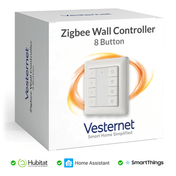
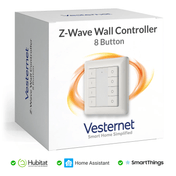
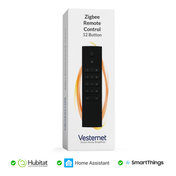
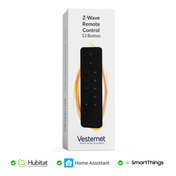
| Keypad or remote | Arms and disarms | Battery | By the door you use most |
| Smart lock | Locks, unlocks and reports its state | Battery | Front door |
| Camera or video doorbell | Shows you what happened | Mains, USB or battery | Front door, drive, garden |
| Lights and plugs | Light the house, make it look lived in | Mains | Everywhere |
Door, window and motion sensors
Door and window sensors are two small parts: a sensor on the frame and a magnet on the door. When they move apart, the sensor reports "open". They are the most dependable security sensor because a door is either open or it is not. Fit them to every outside door first.
Motion sensors cover a whole room with one device, so they catch someone who came in a way you did not expect. They can be triggered by pets, sunlight on a radiator or a curtain moving, so think about where they point. Many also report temperature and light level, which you can use for heating and lighting.
For a house with pets, or anywhere false alarms would be a nuisance, a common approach is to sound the siren only when two different sensors trigger within a short time. Our Sensors guide covers placement and the different types in detail.
Choosing a smart siren
A phone notification is easy to miss. A siren is not. It also tells an intruder they have been noticed, which is often enough.
Standalone or built in?
A standalone siren exists only to make noise and flash. It suits alarm use and alerting a whole floor. Some smoke, heat and leak sensors also have a built-in sounder. These are quieter and suit per-room alerts, but check that your controller can trigger the sounder on its own. If it only sounds when its own sensor trips, you cannot use it for anything else.
What to look for
- Volume. Compare the decibel (dB) figures on the product pages. Louder is better for intruder alerts, especially outdoors.
- Tones. Many sirens have several sounds and volume levels. That lets one device play a soft chime when a door opens in the day and a full alarm when the house is armed.
- A strobe light. A flashing light helps you find which siren is sounding and helps anyone who is hard of hearing.
- Power. Mains sirens never need new batteries and, on Z-Wave and Zigbee, they usually pass messages on for other devices too. Choose one with a back-up battery so it still sounds in a power cut. Battery sirens can go anywhere but need checking.
- Indoor or outdoor. An outdoor siren must be weatherproof, and it has to stay in radio range of your network. Think about how you will reach it to change a battery.
Zigbee and Z-Wave doorbells
There are few dedicated Zigbee or Z-Wave doorbells, but you do not need one. There are two good ways to build a smart doorbell.
- A siren with chime tones, plus a button. Any Zigbee or Z-Wave button, remote or door sensor can tell the controller that someone is at the door. The controller then plays a chime on the siren, flashes a lamp or sends a notification. You choose the sound and where it plays.
- A video doorbell. This adds a camera and two-way talk. Most use Wi-Fi for the video. Some also link to a smart home system, so a press can trigger your other devices. See cameras and video doorbells.
The benefit over a normal doorbell is what happens next: the chime can be silenced at night, repeated in the garden office, or sent to your phone when you are out.
How do smart locks work?
A smart lock is a normal door lock with a small battery-powered motor that turns it. An app, a keypad, a fingerprint, a tag or an automation tells the motor to lock or unlock. The lock also reports its state, so you can check from anywhere that the door is locked.
The lock talks to your phone directly over Bluetooth when you are next to it. For control from elsewhere, and for automations, it joins your smart home over Thread, Zigbee, Z-Wave or Wi-Fi. A Thread lock needs a Matter controller with a Thread border router. See Matter and Thread explained.

Retrofit or replacement?
- Retrofit locks fit on the inside of the door, over the existing cylinder, and turn it for you. The outside of the door and your keys stay the same. See our locks and access range.
- Replacement locks swap the whole lock or handle set for a smart one. They are a bigger job and must match the door's lock type exactly.
Will a smart lock fit a UK door?
Most uPVC and composite doors in the UK use a euro cylinder (the barrel your key goes into) that drives a multipoint lock, a strip of hooks and bolts down the edge of the door. Retrofit smart locks are made for euro cylinders, so this is the easiest type to convert. Check three things before you buy:
- Lift-to-lock handles. On most multipoint doors you lift the handle to throw the bolts before the key will turn. A retrofit lock turns the cylinder but cannot lift the handle, so it can only lock the door once someone has lifted it.
- The cylinder. A retrofit lock sits over a key left in the inside of the cylinder, or over a thumb turn. The cylinder must still let you use a key from outside while that inside key is in place. Some makers call this an emergency function. Some locks need a specific or adjustable cylinder. The product page lists what fits.
- Timber doors. A wooden door with a night latch or a mortice deadlock is a different mechanism and needs a lock made for it.
Whichever you choose, keep a key. Batteries run down, and a lock that can still be opened with a key is far less likely to leave you locked out.
Keypads, tags and codes
A keypad by the door lets people in without a phone. Give family a fingerprint or tag, give a cleaner or guest their own code, and remove it when it is no longer needed. Your controller can log who came in and when. A separate smart keypad can also arm and disarm the house, which is easier for visitors than an app.
Cameras and video doorbells
Sensors tell you that something happened. A camera shows you what. That makes cameras a good partner for a sensor-based set-up rather than a replacement for it.
- Cameras send video, so they use Wi-Fi or a network cable, not Zigbee or Z-Wave.
- Decide where recordings are kept: on a memory card or recorder at home, or in the maker's cloud service.
- How far a camera links into your controller varies by brand. Some only show a picture. Others pass motion and doorbell presses to your automations. Check compatibility first.
- Point cameras at your own property. If one captures a neighbour's garden or the street, data protection rules can apply to you.
 Door and window sensorReports open and closed. Fit to every outside door
 Motion sensorCovers a whole room with one device
 SirenAlarm tones, chimes and a flashing light
 KeypadArm and disarm with a code or tag
 CameraShows you what set a sensor off
 Video doorbellSee and speak to whoever is at the door
Arming modes and automations
An arming mode decides which sensors count as an alarm right now. Hubitat, Homey Pro, Home Assistant, Fibaro Home Center and the Aeotec Smart Home Hub (SmartThings) all have a way to arm and disarm groups of sensors, either built in or as an add-on. The names differ, but most follow the same three modes as a traditional alarm.
Automations worth setting up
- Lights on with the alarm. Turn every light on, inside and out, when the siren sounds. It is a strong deterrent and helps cameras see.
- A useful notification. Name the sensor in the message ("Back door opened while armed away") so you know what to check.
- Arm without thinking. Arm when the last phone leaves, or at a set time each night, so the alarm is never forgotten.
- A goodnight button. One press locks the door, turns everything off and arms the downstairs sensors.
- Lived-in lighting. When armed away, switch a few lamps on and off through the evening.
- Left-open reminders. A chime or message if a door or window is still open when you arm, or has been open for ten minutes.
Making it reliable
An alarm is only useful if it works on the one night it is needed. Four things make the difference.
- Local control. Choose a controller that runs its rules itself, without the internet. Then the siren still sounds if your broadband is down. Phone notifications will still need a connection. See Choosing a smart home controller.
- Batteries. Sensors report their battery level. Set a low-battery notification and change cells when warned, not when the sensor goes quiet.
- Power cuts. A siren with a back-up battery keeps working. Putting the controller and your router on a small uninterruptible power supply keeps the whole system alive.
- Tamper alerts. Many sensors, sirens and keypads have a tamper switch that reports if the case is opened or the device is pulled off the wall. Treat a tamper alert as an alarm.
A strong network matters too. Mains-powered Z-Wave and Zigbee devices usually pass messages on, so a siren or plug near a far door helps the sensor on it. Then test the whole thing: arm it, open a door and check that every step happens. Repeat the test after you change other automations.
 A controller
 Sensors
 Sirens
 Cameras