Smart home technology truly shines when devices work together automatically, responding to your needs without constant manual control. While individual smart devices offer convenience, the real magic happens when you create custom automations that coordinate multiple devices to respond intelligently to specific triggers, conditions, and schedules.
This comprehensive guide will walk you through the process of creating effective smart home automations, from understanding the basic concepts to implementing sophisticated scenarios that enhance comfort, security, and efficiency. Whether you're just starting your smart home journey or looking to take your existing setup to the next level, you'll discover how to create automations that truly adapt your home to your lifestyle.

Understanding Smart Home Automation Fundamentals
Before diving into specific automation examples, it's essential to understand the core components that make up any smart home automation:
The Three Pillars of Automation
- Triggers: Events that initiate an automation
- Conditions: Optional criteria that must be met for the automation to execute
- Actions: The tasks performed when the automation runs
This "trigger-condition-action" framework forms the foundation of virtually all smart home automations, regardless of which controller or platform you use.
Triggers: What Starts an Automation
Triggers are events that prompt your automation to run. Common trigger types include:
- Device State Changes: A sensor detects motion, a door opens, or a switch turns on
- Time-Based Events: Specific times, sunrise/sunset, or recurring schedules
- Location Changes: Someone arriving home or leaving (geofencing)
- Voice Commands: Specific phrases spoken to a voice assistant
- Manual Activation: Pressing a button on a remote or in an app
- System Events: Power outages, internet connectivity changes, or controller reboots
The best automations often use triggers that naturally align with your daily activities, making your home respond to your actual behavior rather than forcing you to adapt to technology.
Conditions: When Should Automations Run
Conditions add intelligence to your automations by specifying when they should (or shouldn't) run after being triggered. Examples include:
- Time Restrictions: Only run between certain hours
- Device States: Only run if certain devices are in specific states
- Mode Settings: Only run in "Home," "Away," or "Night" modes
- User Presence: Only run if specific people are home
- Environmental Factors: Only run if temperature, light level, or humidity meets certain criteria
Conditions transform simple reactive automations into context-aware responses that consider the broader state of your home and its occupants.
Actions: What Happens When Automations Run
Actions are the tasks your smart home performs when an automation is triggered and conditions are met. These can include:
- Controlling Devices: Turning lights on/off, adjusting thermostats, locking doors
- Running Scenes: Activating predefined groups of device settings
- Sending Notifications: Alerting you via push notifications, emails, or text messages
- Delaying Operations: Waiting a specified time before performing subsequent actions
- Conditional Branching: Performing different actions based on additional criteria
Actions can be simple (turn on a single light) or complex (coordinate multiple devices, with some actions happening immediately and others after delays).

Setting Up Your First Automations: A Step-by-Step Approach
Now that you understand the components, let's walk through the process of creating effective automations:
Step 1: Define Your Automation Goals
Before configuring any devices, clearly define what you want to achieve. The most successful automations address specific needs or enhance particular aspects of daily life. Consider these categories:
- Convenience: Reducing manual control of frequently used devices
- Energy Efficiency: Optimizing heating, cooling, and lighting usage
- Security: Enhancing home monitoring and protection
- Comfort: Creating ideal environmental conditions automatically
- Routine Support: Assisting with daily activities like waking up, leaving home, or bedtime
For each automation you plan, write a simple statement describing its purpose, such as "Turn on appropriate lighting automatically when someone enters a room, but only when natural light is insufficient."
Step 2: Identify Required Components
Once you've defined your goal, determine which devices and capabilities you'll need:
- Trigger Devices: What will initiate the automation? (motion sensors, door sensors, time of day)
- Condition Sources: What information will determine if the automation should run? (light sensors, occupancy status)
- Action Devices: What devices will be controlled by the automation? (lights, thermostats, speakers)
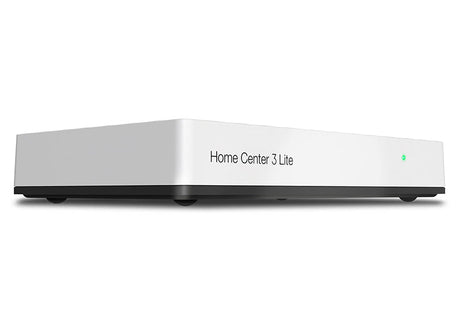
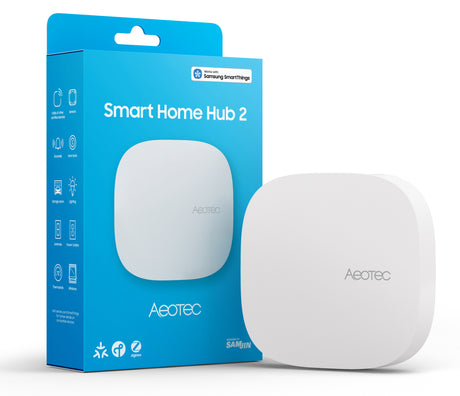
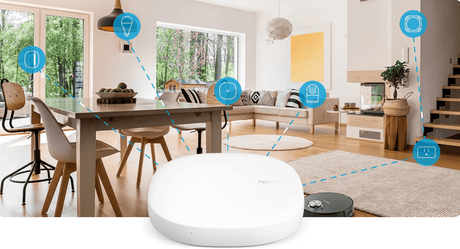
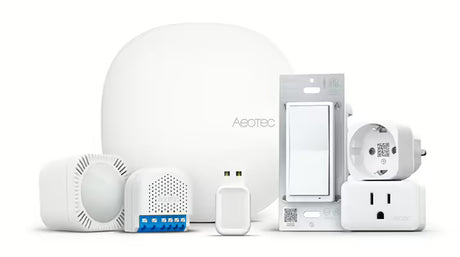
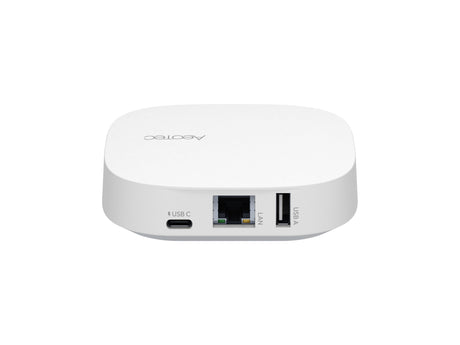
- Controller/Hub: What system will manage the automation logic? (Smart Home Controllers )
Make sure all necessary devices are properly installed and connected to your smart home controller before proceeding.

Step 3: Create Basic Trigger-Action Automations
Start with simple automations that have clear triggers and straightforward actions. Here are some beginner-friendly examples:
Example 1: Motion-Activated Lighting
- Trigger: Motion detected by motion sensor
- Action: Turn on lights in the same room
-
Implementation Steps:
- Place motion sensor in an optimal location to detect entry
- Connect both sensor and lights to your smart home controller
- Create automation that turns on lights when motion is detected
- Add a second automation to turn lights off after no motion for 10 minutes
Example 2: Scheduled Thermostat Adjustment
- Trigger: Specific time of day (7:00 AM weekdays)
- Action: Adjust thermostat to comfortable temperature
-
Implementation Steps:
- Ensure thermostat is connected to your smart home system
- Create time-based trigger for weekday mornings
- Set action to change thermostat to your preferred temperature
- Test and adjust timing based on how long your home takes to reach comfort
Example 3: Arrival/Departure Automation
- Trigger: First person arrives home or last person leaves
- Action: Adjust multiple devices for appropriate home/away states
-
Implementation Steps:
- Set up presence detection via smartphone location or dedicated presence sensors
- Create "arriving home" automation that turns on entryway lights and adjusts thermostat
- Create "leaving home" automation that turns off lights, adjusts thermostat, and ensures doors are locked
These basic automations provide immediate value while helping you understand how your specific devices and controller work together.

Step 4: Add Conditions for Smarter Behavior
Once you're comfortable with basic automations, enhance them with conditions that make them more intelligent:
Enhanced Example 1: Context-Aware Motion Lighting
- Trigger: Motion detected
-
Conditions:
- Current light level is below threshold
- Time is between sunset and sunrise
- Action: Turn on lights at appropriate brightness for time of day
-
Implementation Steps:
- Add light level sensor or use time-based approximation
- Modify motion lighting automation to check light level condition
- Add time-based condition to prevent triggering during daylight hours
- Create brightness variations based on time (dimmer at night)
Enhanced Example 2: Adaptive Thermostat Schedule
- Trigger: Time-based schedule
-
Conditions:
- Home occupancy status
- Current outdoor temperature
- Action: Adjust thermostat differently based on conditions
-
Implementation Steps:
- Connect to weather service or outdoor temperature sensor
- Modify thermostat automation to check if anyone is home
- Add logic to adjust target temperature based on outdoor conditions
- Test in various weather conditions and refine as needed
Adding conditions transforms basic reactive automations into intelligent responses that consider context, significantly improving their usefulness while reducing unwanted activations.
Step 5: Create Multi-Device Coordinated Automations
After mastering conditional automations, create more sophisticated scenarios that coordinate multiple devices:
Example: "Movie Night" Automation
- Trigger: Button press on remote control or voice command
-
Actions:
- Dim living room lights to 20%
- Turn off hallway and kitchen lights
- Adjust thermostat to comfortable setting
- Lower smart blinds
-
Implementation Steps:
- Create a scene that includes all desired device states
- Configure trigger from dedicated button or voice command
- Test the scene and adjust device settings as needed
- Add an "End Movie" automation to restore normal settings
Example: "Good Morning" Routine
- Trigger: Alarm time or first morning motion
- Conditions: Weekday and home is occupied
-
Actions:
- Gradually increase bedroom lights
- Adjust thermostat to morning comfort setting
- Start coffee maker via smart plug
- Provide weather forecast via announcement
-
Implementation Steps:
- Determine reliable trigger (scheduled time or motion sensor)
- Create sequence of actions with appropriate delays
- Add weekday condition to prevent weekend activation
- Test and refine timing based on your morning preferences
These multi-device automations demonstrate the true potential of smart home technology, creating coordinated experiences that would be cumbersome to achieve manually.

Advanced Automation Techniques
Once you're comfortable with the basics, explore these advanced techniques to create truly sophisticated automations:
Conditional Branching
Rather than a single set of actions, conditional branching allows different actions based on additional criteria:
IF motion detected in living room
  IF time is between 7AM and 10PM
    Turn on lights at 80% brightness
  ELSE IF time is between 10PM and 7AM
    Turn on lights at 30% brightness
  END IF
END IF
This approach allows a single automation to handle multiple scenarios with appropriate responses for each.
Variable Timing
Incorporate variable delays or timing based on conditions:
WHEN front door opens
  Turn on entryway light
  IF after sunset
    Turn on living room lights immediately
  ELSE
    No additional action
  END IF
  WAIT 5 minutes
  IF no motion detected
    Turn off entryway light
  END IF
END WHEN
Variable timing creates more natural behavior that adapts to different situations.
State Tracking
Some advanced automations need to remember previous states or track how long conditions have existed:
IF temperature above 25°C for more than 30 minutes
  AND windows are closed
  Send notification suggesting opening windows
END IF
State tracking helps create automations that respond to persistent conditions rather than momentary events.
Mode-Based Automations
Create different automation behaviors based on home modes (Home, Away, Vacation, Night):
WHEN motion detected in living room
  IF mode is "Home"
    Turn on lights at normal brightness
  ELSE IF mode is "Night"
    Turn on lights at 20% brightness
  ELSE IF mode is "Away" or "Vacation"
    Turn on lights AND send security alert
  END IF
END WHEN
Mode-based automations ensure your home responds appropriately to different contexts.

Real-World Automation Examples by Category
Let's explore practical automation examples organized by purpose:
Security Automations
Simulated Occupancy
- Trigger: Home enters "Vacation" mode
- Actions: Randomly turn lights on/off in patterns that mimic normal occupancy
- Benefits: Deters potential intruders by making home appear occupied
Unexpected Entry Alert
- Trigger: Door or window opens
- Condition: Home mode is "Away" or "Night"
- Actions: Turn on lights, send notification with camera image, sound alarm
- Benefits: Immediate awareness of potential security issues
Energy Efficiency Automations
Smart HVAC Management
- Trigger: Temperature threshold or schedule
- Conditions: Room occupancy, time of day, outdoor temperature
- Actions: Adjust thermostat settings, manage smart vents for zone control
- Benefits: Reduced energy consumption while maintaining comfort
Lighting Optimization
- Trigger: Occupancy changes or light level changes
- Conditions: Natural light level, room usage
- Actions: Adjust artificial lighting to complement natural light
- Benefits: Reduced electricity usage while maintaining appropriate illumination
Convenience Automations
Morning Routine Automation
- Trigger: Alarm or first morning motion
- Actions: Sequential activation of lights, coffee maker, news briefing
- Benefits: Streamlined start to the day with minimal manual intervention
Bedtime Sequence
- Trigger: "Goodnight" command or button press
- Actions: Turn off all lights except path to bedroom, lock doors, arm security system
- Benefits: Consistent home securing without checking multiple devices
Comfort Automations
Perfect Ambiance
- Trigger: Activity detection (TV turning on, dinner time)
- Actions: Adjust lighting, temperature, and background music to suit the activity
- Benefits: Automatically created ideal environment for different activities
Weather-Responsive Home
- Trigger: Weather changes (rain starting, temperature drops)
- Actions: Close windows, adjust heating, provide notifications
- Benefits: Home responds to weather without requiring constant monitoring
Best Practices for Reliable Automations
Creating effective automations involves more than just technical configuration. Follow these best practices to ensure your automations enhance rather than frustrate:
1. Start Simple and Expand Gradually
Begin with basic automations and add complexity only after confirming reliable operation. This approach helps isolate issues and builds your understanding incrementally.
2. Provide Manual Overrides
Always ensure automations can be easily overridden when needed. Smart homes should adapt to humans, not force humans to adapt to automation.
3. Test Edge Cases
Consider what happens in unusual circumstances: power outages, internet disruptions, device failures, or unexpected user behavior. Build resilience into critical automations.
4. Document Your Automations
Keep records of what you've created, especially for complex automations. Documentation helps with troubleshooting and allows you to rebuild if needed.
5. Consider All Users
Design automations that work for everyone in your household, including those who may be less technically inclined or have different preferences.
6. Regularly Review and Refine
Schedule periodic reviews of your automations to ensure they still match your needs and to incorporate new devices or capabilities.
7. Prioritize Reliability Over Complexity
A simple automation that works consistently is better than a sophisticated one that fails unpredictably. Build complexity only on a foundation of reliability.

Troubleshooting Common Automation Issues
Even well-designed automations sometimes behave unexpectedly. Here's how to address common issues:
Automation Doesn't Trigger
Possible Causes:
- Trigger device communication issues
- Hub/controller connectivity problems
- Trigger conditions too specific
Solutions:
- Verify trigger device is online and reporting correctly
- Check for recent firmware updates or controller issues
- Temporarily simplify trigger conditions to isolate the problem
- Review automation logs if available
Automation Triggers But Actions Don't Execute
Possible Causes:
- Conditions preventing execution
- Action devices unavailable
- Timing issues
Solutions:
- Temporarily remove conditions to test basic functionality
- Verify all action devices are online and responsive
- Check for conflicting automations
- Add delays between actions for devices that need processing time
Automation Works Inconsistently
Possible Causes:
- Intermittent device connectivity
- Threshold conditions near borderline values
- Interference from other automations
Solutions:
- Improve device connectivity (relocate, add repeaters)
- Add buffer zones to threshold values
- Review all automations for potential conflicts
- Implement state verification before critical actions
Tools for Creating Advanced Automations
Different smart home platforms offer varying capabilities for automation creation:
Controller-Based Automation
Most Smart Home Controllers include built-in automation tools with graphical interfaces for creating trigger-condition-action rules. These typically offer:
- Visual rule builders
- Template automations for common scenarios
- Basic conditional logic
- Scheduling capabilities
Controller-based automation is ideal for beginners and covers most common scenarios.

Scripting and Advanced Programming
For more sophisticated needs, consider platforms that support scripting or programming:
- Home Assistant offers YAML configuration and Python scripting
- Hubitat provides Rule Machine and custom app development
- Node-RED enables visual flow-based programming
These approaches require more technical skill but provide virtually unlimited flexibility.
Cloud-Based Automation Services
Services like IFTTT (If This Then That) offer cloud-based automation with integration across various platforms:
- Simple "if-then" rule creation
- Wide compatibility with various services and devices
- Limited conditional logic
- Potential delays due to cloud processing
Cloud services can bridge gaps between otherwise incompatible systems but may introduce reliability concerns due to internet dependency.
Conclusion: Building Your Automation Strategy
Smart home automation is a journey rather than a destination. As you become more comfortable with the basic concepts, you'll naturally discover new possibilities and refinements.
Start by addressing your most frequent pain points or manual routines—these often provide the most satisfying automation opportunities. Focus on reliability and usefulness rather than complexity for its own sake.
Remember that the ultimate goal of home automation is to enhance your living experience by making your home more responsive to your needs and preferences. The best automations are those you eventually take for granted because they so naturally align with your lifestyle.
With the foundation provided in this guide, you're well-equipped to begin creating custom automations that transform your collection of smart devices into a truly intelligent home that anticipates needs, conserves energy, enhances security, and simplifies daily life.
Ready to start building your custom automations? Explore Vesternet's range of controllers, sensors, and devices to create a responsive smart home that works for you.