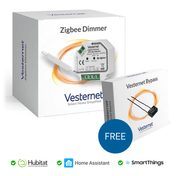
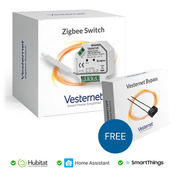
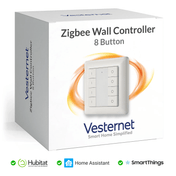
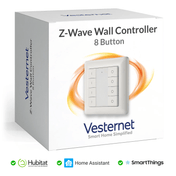
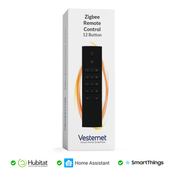
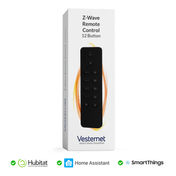
The demand for voice commands android integration in smart homes has surged dramatically, with homeowners increasingly seeking hands-free control over their living environments. However, many face significant challenges with device compatibility issues, complex setup procedures, and understanding which smart home products actually work seamlessly with their Android devices. Current market trends show that whilst voice activation technology has become mainstream, the practical implementation often leaves users frustrated with unreliable connections and limited functionality across different device ecosystems.
Android voice activation offers a comprehensive solution that transforms how you interact with your smart home, providing unprecedented convenience through natural language commands. This technology enables effortless control over lighting, climate, security, and entertainment systems whilst improving accessibility for users with mobility challenges. Energy efficiency becomes achievable through voice-activated scheduling and automation, whilst enhanced security monitoring allows instant status checks and emergency responses through simple spoken instructions.
This comprehensive guide will equip you with essential knowledge for successful Android platform setup, thorough device compatibility assessment, systematic installation procedures, and advanced optimization techniques. You'll discover how to create a seamless voice-controlled ecosystem that responds reliably to your commands whilst maintaining excellent performance across all connected devices and automation scenarios.
Understanding Android Voice Control Fundamentals
Voice control android systems operate through sophisticated speech recognition technology that converts spoken commands into digital instructions for smart home devices. The Android ecosystem primarily utilizes Google Assistant as its core voice platform, which integrates with various smart home protocols including Wi-Fi, Zigbee, and Z-Wave to enable comprehensive device management. Understanding these fundamental protocols is crucial for building a reliable automation system that responds consistently to voice commands.
Essential voice control components:
- Google Assistant voice recognition engine for command processing
- Smart home hubs that bridge different device communication protocols
- Compatible smart devices with voice activation capabilities
- Stable network infrastructure supporting real-time command transmission
The success of android voice activation depends heavily on proper integration between these components, ensuring each element communicates effectively within your smart home ecosystem. Modern systems support natural language processing, allowing conversational commands rather than rigid, pre-programmed phrases, making voice control more intuitive and user-friendly for daily use.

Android Platform Setup and Voice Assistant Configuration
Successful Android platform setup begins with ensuring your device runs a compatible operating system version and has Google Assistant properly configured with appropriate permissions. Navigate to your device settings to enable voice activation, configure wake words, and grant necessary permissions for smart home control, including microphone access and device management capabilities. The Google Home app serves as your primary control centre, requiring initial setup with your Google account and network configuration.
Critical setup steps for voice commands android:
- Update Android OS to the latest compatible version
- Install and configure Google Home app with full permissions
- Set up voice recognition training for accurate command interpretation
- Connect to stable Wi-Fi network with adequate bandwidth
Once basic configuration is complete, linking your Android device to smart home platforms requires careful attention to account synchronisation and device discovery settings. Enable location services for room-based control, configure routine permissions for automated responses, and test basic voice recognition to ensure optimal performance before proceeding with device compatibility assessment and installation phases.

Smart Home Device Compatibility Assessment
Device compatibility represents the foundation of successful voice control android implementation, with certain smart home categories offering superior integration compared to others. Lighting systems, particularly those using Zigbee or Z-Wave protocols, typically provide the most reliable voice activation experience, followed by climate control devices such as smart thermostats and motorised window coverings. Security devices including smart locks, cameras, and sensors also integrate well, though specific compatibility requirements vary significantly between manufacturers.
Top-performing device categories for android voice activation:
- Smart lighting switches and dimmers with protocol certification
- Climate control systems including thermostats and ventilation
- Security devices with built-in voice command support
- Motorised systems for blinds, curtains, and garage doors
Before purchasing new smart home devices, verify compatibility through manufacturer specifications and Google Assistant certification status. Look for devices that explicitly support voice commands android integration, offer local network operation for improved response times, and provide firmware update capabilities for long-term compatibility maintenance across evolving voice control standards.

Gateway and Hub Integration for Voice Control
Smart home hubs serve as essential communication bridges that enable seamless android voice activation across multiple device types and wireless protocols. Selecting an appropriate gateway depends on your existing device ecosystem, with options ranging from comprehensive Z-Wave controllers to protocol-agnostic solutions that support Zigbee, Wi-Fi, and proprietary communication standards. Modern hubs offer local processing capabilities that reduce latency and improve voice command responsiveness compared to cloud-dependent alternatives.
Essential hub features for voice control android systems:
- Multi-protocol support for diverse device compatibility
- Google Assistant certification for seamless integration
- Local processing capabilities for faster response times
- Robust network security with regular firmware updates
Hub configuration involves connecting to your home network, discovering compatible devices, and establishing secure communication channels with your Android voice control system. Proper placement ensures optimal wireless range coverage throughout your property, whilst regular firmware updates maintain security and expand device compatibility as new smart home products become available.

Installing and Configuring Voice-Ready Smart Devices
Product installation begins with careful planning of device placement to ensure adequate wireless signal strength and logical grouping for voice commands android functionality. Smart switches and dimmers require proper electrical installation following safety regulations, whilst smart plugs and sensors offer plug-and-play convenience with minimal setup requirements. Each device type demands specific configuration procedures, including network pairing, room assignment, and voice command customisation.
Installation priorities for optimal voice control android performance:
- Strategic device placement for maximum wireless coverage
- Proper electrical connections following safety standards
- Systematic network pairing using manufacturer instructions
- Logical room assignment for intuitive voice control
Configuration extends beyond basic installation to include device naming conventions that support natural language commands, scene programming for complex automation routines, and integration testing to verify reliable voice response across all installed devices. Regular testing ensures consistent performance whilst identifying potential connectivity issues before they impact daily use.
Optimizing Voice Commands and Scene Creation
Advanced optimization transforms basic android voice activation into an intuitive, responsive smart home control system through carefully crafted voice commands and intelligent scene creation. Effective voice commands use natural language patterns that feel conversational, avoiding technical device names in favour of descriptive terms that reflect actual usage patterns. Scene creation enables complex automation through single voice commands, combining multiple device actions into coordinated responses.
Voice command optimization strategies:
- Use descriptive, memorable names for devices and rooms
- Create scenes that combine related device functions
- Test alternative phrasings for reliable command recognition
- Organise devices into logical groups for efficient control
Scene programming allows sophisticated automation through voice commands android integration, enabling scenarios such as "goodnight" routines that simultaneously adjust lighting, lock doors, and set climate control. Regular optimization involves analysing command success rates, refining device groupings, and updating voice patterns to maintain peak performance as your smart home ecosystem expands and evolves.
Troubleshooting Common Voice Control Issues
Voice control android systems occasionally experience connectivity problems, command recognition failures, or delayed device responses that require systematic troubleshooting approaches. Network connectivity represents the most common issue source, with weak Wi-Fi signals, interference from other devices, or inadequate bandwidth affecting voice command reliability. Device-specific problems often stem from outdated firmware, incorrect configuration settings, or physical placement issues that impact wireless communication.
Common troubleshooting solutions for android voice activation:
- Verify strong Wi-Fi signal strength throughout coverage areas
- Update device firmware and Google Home app versions
- Restart voice assistant services and network equipment
- Reconfigure voice recognition settings for improved accuracy
Systematic problem diagnosis involves testing individual devices, verifying hub connectivity, and analysing command response patterns to identify specific failure points. Many issues resolve through simple restarts or configuration adjustments, whilst persistent problems may require device replacement or professional network optimization to restore reliable voice commands android functionality.
Best Practices for Long-Term Voice Control Success
Maintaining optimal android voice activation performance requires ongoing attention to system updates, network optimization, and security considerations that evolve with technology advancement. Regular firmware updates for all connected devices ensure continued compatibility with Google Assistant improvements, whilst network monitoring prevents performance degradation from increased device loads or interference sources. Security maintenance includes password updates, access permission reviews, and monitoring for unauthorized device additions.
Essential maintenance practices for voice control android systems:
- Schedule regular firmware updates for all connected devices
- Monitor network performance and optimize bandwidth allocation
- Review security settings and update access credentials periodically
- Plan systematic expansion to maintain optimal performance
Long-term success depends on thoughtful system expansion that maintains performance whilst adding new capabilities through compatible smart home devices. Strategic planning prevents network overload, ensures adequate hub capacity, and maintains the intuitive voice command structure that makes daily automation effortless and reliable for all household members.
Conclusion
Proper Android voice control setup fundamentally transforms smart home convenience, accessibility, and energy efficiency through seamless integration of compatible devices and systematic installation processes. The combination of thorough device compatibility assessment, professional installation techniques, and advanced optimization creates a responsive ecosystem that enhances daily living through natural voice commands. Success depends on understanding fundamental voice activation principles, selecting appropriate smart home devices, and following methodical configuration procedures that ensure reliable performance across all connected systems.
Begin your voice-controlled smart home journey by focusing on essential device categories such as lighting control and climate management, gradually expanding your ecosystem as you gain experience with Android voice activation capabilities. Start with high-compatibility devices that offer proven Google Assistant integration, establish a solid network foundation, and systematically add new automation features that align with your lifestyle requirements and household preferences.
Explore Vesternet's comprehensive range of voice-compatible smart home devices designed to work seamlessly with Android voice control systems, from advanced lighting solutions to sophisticated climate management and security automation. Our expert support team provides guidance throughout your smart home journey, helping you select the perfect combination of devices and installation approaches to create your ideal voice-controlled living environment.