In short: A smart plug is the easiest way to switch and measure one appliance. Check three things before you buy: the plug type (UK or European), the load rating, and whether it measures energy. To see what the whole house uses, add a clamp meter at the electricity meter.
Who this guide is for
- You want to switch lamps or appliances on a schedule or from your phone.
- You want to know what your appliances, or your whole home, use.
- You need to extend a Zigbee or Z-Wave network and wonder if a plug will do it.
Plug-in, in-wall or DIN rail?
There are three ways to make a socket or appliance smart. They differ in how they are fitted and how much load they can switch.
Plug-in smart plug
- Sits between the wall socket and the appliance
- No tools, moves with you
- Many measure energy
- Limited to what one socket can supply
In-wall module
- A small relay on a fused spur that feeds one appliance
- Hidden, nothing to unplug by mistake
- Suits fixed appliances
- Needs an electrician
DIN-rail module
- Clips onto a DIN rail in an enclosure
- Switches or measures a whole circuit
- Higher ratings available
- Needs an electrician
Replacement smart sockets, where the whole socket front is swapped for a smart one, are common for European wall boxes. In UK homes a plug-in device or a hidden module is the usual route. Check the socket type on the product page.
 PlugsPlug-in switches and range extenders
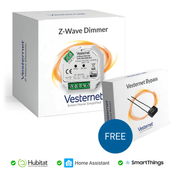
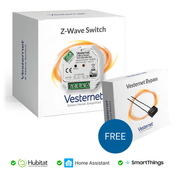
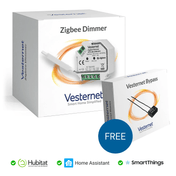
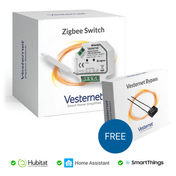
 ModulesRelays for lights and fixed appliances
 DIN railSwitching and metering for whole circuits
How to choose a smart plug
Most smart plugs do the same basic job: they switch the power on and off. The differences that matter are these.
- Plug type. UK or European. See the next section.
- Protocol. Zigbee, Z-Wave, Matter or Wi-Fi. Choose one your hub supports.
- Load rating. The most current it can switch, in amps or watts.
- Energy monitoring. Not every plug has it. Look for power (W) and energy (kWh) reporting.
- Size. A bulky plug can block the socket next to it on a double socket or extension lead.
- After a power cut. Many let you choose whether the plug comes back on, off, or as it was.

- Match the socketUK three-pin for UK and Irish homes. Schuko for most of Europe.
- Match the hubPick a protocol your controller has a radio for. See Will it work with my system?
- Check the loadFind the appliance's watts on its rating label and compare with the plug's limit.
UK plugs and European Schuko plugs
Smart plugs are made for one socket type. They are not interchangeable.
| UK (Type G) | Schuko (Type F) | |
|---|---|---|
| Pins | Three rectangular pins | Two round pins with earth clips at the sides |
| Used in | UK, Ireland, Malta, Cyprus | Germany, Netherlands, Spain and much of Europe |
| Socket rating | 13 A, with a fuse in the plug | 16 A, no fuse in the plug |
| On our product pages | "UK" in the name | "Schuko", "Type F" or "EU" in the name |
France and Belgium use Type E sockets, which have an earth pin. Many Schuko plugs fit both. Don't run a smart plug permanently through a travel adapter.
What can I plug into a smart plug?
A UK socket supplies up to 13 A, which is about 3,000 W at 230 V. A smart plug may be rated lower than that. Some are 10 A (about 2,300 W), and the limit for motors can be lower than the limit for simple heating loads. The rating is on the product page and on the plug itself.
Fine on most smart plugs
- Lamps and LED lighting
- TVs, consoles and audio
- Chargers and routers
- Fans and dehumidifiers
Check the rating first
- Kettles and portable heaters
- Washing machines, dryers and dishwashers
- Fridges and freezers
- Pumps and power tools
Never on a smart plug
- Anything wired to its own circuit: ovens, hobs, showers, immersion heaters, car chargers
- Extension leads loaded beyond the plug's limit
Leave some headroom. A heater or dryer runs near full power for a long time. Choose a plug rated comfortably above the appliance, not right at its limit. Do not use a smart plug to run a portable heater when nobody is home or while you are asleep. Keep fridges and freezers out of "all off" routines.
For appliances at or above the limit of a socket, use a high-load in-wall module or a DIN-rail relay fitted by an electrician. UK socket circuits are usually 32 A rings, and a 10 to 16 A module must not be wired into the ring itself. It is normally fitted on a fused spur that feeds one socket or appliance. Mains wiring must be done by a competent person and comply with local regulations.
Do smart plugs extend my network?
Often, yes. It depends on the protocol.
| Plug type | Extends the network? | Notes |
|---|---|---|
| Zigbee | Usually | Most mains Zigbee plugs pass messages on for others |
| Z-Wave | Usually | Most mains Z-Wave plugs repeat for others |
| Matter over Thread | Usually | Mains Thread devices normally act as routers. Check the product page |
| Wi-Fi (including Matter over Wi-Fi) | No | It is a client of your Wi-Fi router |
A range extender is a plug-in device that only repeats. It has no switch and nothing to turn off by accident, so it suits hallways and landings. If you already have smart plugs or in-wall modules nearby, you may not need one. A repeater works for its own protocol only: a Zigbee plug does nothing for Z-Wave devices.
Is a smart plug the same as a Wi-Fi extender?
No. A Wi-Fi extender repeats your Wi-Fi for phones and laptops. A smart plug switches an appliance. A Zigbee or Z-Wave plug strengthens its own smart home network, not your Wi-Fi. More in Zigbee explained, Z-Wave explained and Building a reliable network.
Energy monitoring: where is it measured?
You can measure electricity at three levels. Each answers a different question.
Per appliance: metering plugs and modules
A smart plug with energy monitoring reports two figures. Power, in watts (W), is what the appliance is drawing right now. Energy, in kilowatt-hours (kWh), is the running total, and is what your bill is based on. In-wall modules with metering do the same for fixed appliances.
Whole home: clamp meters
A clamp meter uses a current clamp (often called a CT clamp) that clips around a cable without cutting it. One clamp around the live meter tail measures everything the house draws. Models with two or three clamps can measure solar generation, a car charger or individual circuits as well, or the three phases of a three-phase supply.
The clamp is fitted next to live parts at the meter or consumer unit, so have it fitted by a competent person. Check the clamp's current rating against your main fuse, and if you have solar, check that the meter can tell import from export.
Some meters can also be read directly. An optical reader counts the flashing light on the front of the electricity meter. Readers that plug into a meter's data port (HAN or P1) are made for meters used in the Nordic countries and the Netherlands, not for British smart meters.
Per circuit: DIN-rail meters
DIN-rail modules clip onto a rail in an enclosure. Where that goes is for your installer to decide. A metering relay can switch and measure a whole circuit, such as an outbuilding, an immersion heater or a set of sockets. This is installer work.
| Device | Measures | Typical use | Fitting |
|---|---|---|---|
| Metering smart plug | One plugged-in appliance | TV corner, desk, washing machine, dehumidifier | Plug in |
| In-wall module with metering | One fixed appliance or socket | Towel rail, pump, extractor fan | Electrician |
| DIN-rail meter or relay | One circuit | Garage, garden office, water heater | Electrician |
| Clamp meter | Whole home, solar or a large circuit | Total use, import and export | Competent person |
 UK smart plugSwitches and measures one appliance
 Schuko smart plugFor European round-pin sockets
 Range extenderRepeats signals. No switch to turn off
 Clamp meterMeasures the whole home at the meter tail
 DIN-rail moduleSwitches and measures a circuit
 In-wall moduleHidden on a fused spur
Using the data
Numbers on a screen save nothing by themselves. These are the uses that pay off.
- Find the standby load. Look at the whole-home figure when everyone is asleep. That is your baseline. Use metering plugs to find which devices make it up.
- Cut standby automatically. Switch off the TV corner or desk when the house is empty or at bedtime. Don't cut power to devices that need standby to look after themselves, such as OLED TVs, or to anything in the middle of an update.
- Know when an appliance has finished. When a washing machine's power drops to almost nothing for a few minutes, the cycle is done. Have the hub send a notification.
- Track cost. Multiply kWh by the unit rate on your bill. Home Assistant has a built-in Energy dashboard that does this from any meter, plug or solar inverter it can read, and Homey has its own energy view. Other hubs can log readings through apps or rules.
- Use your own solar. With a clamp that measures export, the hub can run a water heater, dehumidifier or charger when you are sending power to the grid.
- Shift to cheaper hours. On a time-of-use tariff, schedule suitable loads for the cheap periods.
- Spot faults. A freezer that stops drawing power, or a pump that never stops, can trigger an alert.
A smart plug uses a little electricity itself, typically around a watt or less. It earns its keep on loads with real standby use, not on a phone charger.
Zigbee, Z-Wave, Matter or Wi-Fi?
- Zigbee plugs are widely available and build the mesh for your sensors. See Zigbee devices.
- Z-Wave plugs use 868 MHz in the UK and Europe, pass through walls well and stay clear of Wi-Fi. See Z-Wave devices.
- Matter plugs work with Apple, Google, Amazon and SmartThings as well as dedicated hubs. Thread plugs need a Thread border router. Energy readings over Matter depend on the plug and the platform, so check before relying on them.
- Wi-Fi plugs need no hub, which suits one or two. Dozens of them add load to your router.
Hubitat, Homey Pro, Home Assistant, Fibaro Home Center and the Aeotec Smart Home Hub (SmartThings) all handle plugs and energy readings, but each supports different radios. See Choosing a smart home controller.
What you'll need
- Smart plugs, including range extenders
- Energy meters for whole-home monitoring
- DIN-rail modules and in-wall modules for fixed appliances and circuits
- A controller to collect the readings and run the automations