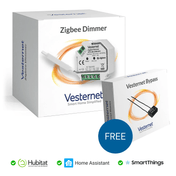
The VES-ZB-DIM-004 is a Zigbee 2-Wire Capable Dimmer and offers the following features:
- 2-Wire (without Neutral) or 3-Wire (with Neutral) wiring and optional Bypass for flexible installation possibilities
- Supports Momentary Switches
- 1.8A Resistive Load (0.8A Capacitive / Inductive Load)
- Small Installation Size 45.5 x 45 x 20.3 mm
- Trailing Edge Dimming For Good Compatibility with LEDs
- Power, Energy, Voltage & Current Metering
- Soft Start
- Zigbee 3.0 works with Zigbee ZHA & Zigbee ZLL Hubs & Bridges
A manual for this device can be downloaded here.
Vesternet Edge Channel
In order to make the Device Drivers available for your Vesternet Zigbee devices, simply subscribe to the Vesternet Edge Channel.
Here you can enrol your SmartThings hub to the Edge Channel and select which of the available Device Drivers to install.
Note that the Device Drivers are first release versions so while they might not be fully functional featuring all features and capabilities, they should be usable for their primary functions.
It should also be remembered that the SmartThings Edge platform itself is still under development and changes there may unintentionally break third-party Device Drivers.
Please report any issues with the Vesternet Edge Device Drivers by submitting a technical request ticket.
This Vesternet Device has the following features when used with our supporting Edge Device Driver in the SmartThings Smart Home Controller (drivers last updated November 2026).
- Supports On, Off and Dimming Control from the App.
- Reports On, Off and Dimming Events when operated from the local switch.
- Reports Power, Energy and Voltage Meters (SmartThings doesn't currently support the Current capability).
- Allows assigning of "Actions" for On and Off Control from the Device Details section of the App.
- Allows adding of "Automations" for On, Off, Dimming and Meter Events from the Automations section of the App.
- Allows adding of "Automations" for On, Off and Dimming Control from the Automations section of the App.
- Has configuration options for Meter reporting.