Modern smart homes present a paradox: whilst technology promises seamless control, many homeowners find themselves juggling multiple apps, physical switches, and interfaces throughout their day. This fragmentation becomes particularly problematic when driving or multitasking, where reaching for a mobile device compromises both safety and convenience. The growing dependence on mobile devices for smart home control creates friction points that interrupt our daily routines rather than enhancing them.
Voice commands android auto integration offers a transformative solution by bridging the gap between mobile connectivity and hands-free technology. This unified approach allows homeowners to control their entire smart home ecosystem through natural speech, whether they're at home, in the car, or anywhere their Android device accompanies them. By leveraging android auto voice commands, users can adjust lighting, temperature, security systems, and entertainment devices without ever taking their hands off the wheel or eyes off the road.
What this comprehensive guide covers:
- Foundation principles of voice control and Android Auto compatibility
- Device selection strategies for optimal voice command integration
- Step-by-step setup procedures for seamless mobile connectivity
- Advanced programming techniques for custom automation scenes
- Troubleshooting methods for reliable hands-free technology performance
Understanding Smart Home Voice Commands and Android Auto Integration
Voice control technology has evolved from simple command recognition to sophisticated natural language processing that understands context and intent. Android Auto extends this capability by creating a bridge between your mobile device and vehicle infotainment system, whilst maintaining connection to your smart home network. This integrated control system operates through cloud-based processing that interprets spoken commands and translates them into specific device actions across your connected home.
The architecture of voice commands android auto integration relies on three core components: your Android device as the primary interface, the vehicle's infotainment system as the hands-free gateway, and your home's smart hub as the command processor. Each component communicates through encrypted channels, ensuring both security and responsiveness in executing commands.

Key compatibility requirements for successful integration:
- Android device running version 6.0 or higher with Google Assistant enabled
- Compatible vehicle infotainment system or aftermarket Android Auto unit
- Smart home devices supporting Google Assistant or compatible protocols
- Reliable mobile data connection for cloud processing capabilities
Essential Smart Home Devices for Voice Command Integration
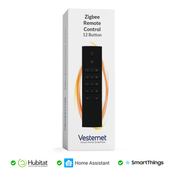
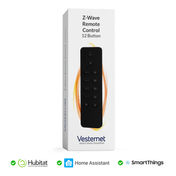
Selecting appropriate smart home devices forms the foundation of effective voice control implementation. The most responsive devices for android auto voice commands typically operate on established protocols like Zigbee or Z-Wave, which provide reliable communication and quick response times. Controllers, dimmers, and motor controllers designed specifically for voice integration offer superior performance compared to basic WiFi-enabled devices.
Gateway hubs serve as the central nervous system for integrated control systems, translating voice commands into protocol-specific instructions that individual devices understand. These hubs maintain local processing capabilities, reducing latency and ensuring commands execute quickly even when mobile connectivity fluctuates.

Priority device categories for voice command systems:
- Smart lighting controllers with dimming and scene capabilities
- Motorised blind controllers for automated window treatments
- Smart thermostats with multi-zone temperature control
- Gateway hubs supporting multiple wireless protocols
- Smart switches for appliance and outlet control
Setting Up Your Android Auto Voice Command System
Initial configuration begins with establishing secure connections between your Android device, vehicle system, and smart home network. The setup process involves pairing your device with Android Auto, configuring Google Assistant for smart home control, and linking your home automation system through the appropriate service integration. This foundational step ensures all components can communicate effectively.
Essential setup steps for voice command integration:
- Enable Google Assistant and configure voice recognition training
- Connect Android Auto to your vehicle's infotainment system
- Link smart home devices through the Google Home app
- Create device groups and assign room locations for contextual commands
- Test basic voice commands to verify proper system communication
Voice training plays a crucial role in system responsiveness, particularly for hands-free technology applications. Spend time training the system in various acoustic environments, including your vehicle's cabin with different noise levels. This training improves recognition accuracy and reduces command failures during real-world usage scenarios.

Advanced Voice Command Programming and Scene Creation
Custom scene programming transforms basic device control into sophisticated automation sequences that respond to single voice commands. These scenes can incorporate multiple device types, conditional logic, and time-based triggers to create comprehensive responses to specific situations. Advanced programming allows for personalised command phrases that feel natural and intuitive for each family member.
Conditional programming adds intelligence to your voice control system by incorporating factors like time of day, occupancy status, and current device states into command execution. This sophistication enables commands like "activate evening mode" to adjust lighting, temperature, and entertainment systems based on current conditions rather than executing identical actions every time.

Advanced programming techniques for voice commands:
- Multi-device scenes triggered by single voice commands
- Conditional responses based on time, occupancy, or device status
- Personalised command phrases for different family members
- Sequential automation chains with built-in delays and confirmations
Troubleshooting Common Voice Command Issues
Voice recognition failures often stem from acoustic interference, network connectivity issues, or device configuration conflicts. Systematic troubleshooting begins with isolating whether problems occur at the voice recognition, network communication, or device execution level. Understanding these failure points enables targeted solutions that restore reliable performance.
Common issues and diagnostic approaches:
- Voice recognition failures: Check microphone settings and retrain voice model
- Command delays: Verify network connectivity and hub processing capacity
- Device non-response: Confirm device power, network connection, and protocol compatibility
- Integration conflicts: Review app permissions and service account linking
Network optimisation significantly impacts voice command reliability, particularly for integrated control systems that depend on cloud processing. Prioritising smart home traffic through Quality of Service settings, maintaining strong WiFi coverage throughout your home, and ensuring adequate internet bandwidth prevents command failures and reduces response delays.
Maximising Hands-Free Control While Driving
Driving scenarios require carefully planned voice command strategies that prioritise safety whilst maintaining smart home functionality. Pre-configured scenes activated by simple phrases like "I'm driving home" can simultaneously adjust home temperature, activate exterior lighting, and disarm security systems without requiring complex multi-step commands. These scenes should execute automatically based on location triggers when possible.
Emergency voice commands provide critical functionality for urgent situations, enabling remote door unlocking, lighting activation, or security system management through simple spoken instructions. These commands should be designed with clear, memorable phrases that function reliably even under stress or in noisy driving conditions.
Essential driving-focused voice command configurations:
- Arrival scenes that prepare your home before you arrive
- Departure routines that secure and optimise your home when leaving
- Emergency commands for urgent access or security situations
- Simple status queries to check door locks and system status
Building an Integrated Smart Home Control Ecosystem
Unified ecosystem development requires strategic planning around device compatibility, protocol selection, and hub architecture. Gateway hubs that support multiple wireless protocols enable integration of diverse device types whilst maintaining centralised voice control capabilities. This approach provides flexibility for future expansion whilst ensuring current investments remain functional as your system grows.
Key principles for integrated system development:
- Multi-protocol hub selection for maximum device compatibility
- Hierarchical device organisation by room and function
- Standardised naming conventions for intuitive voice commands
- Redundant communication paths for critical system functions
- Regular system backup and configuration documentation
Protocol interoperability becomes increasingly important as smart home ecosystems expand. Devices using Zigbee, Z-Wave, and WiFi protocols can coexist effectively when properly managed through compatible gateway hubs. This multi-protocol approach prevents vendor lock-in whilst enabling selection of best-in-class devices for specific applications.
Future-Proofing Your Voice Command Setup
Evolving voice technologies and expanding android auto voice commands capabilities require forward-thinking system design that accommodates future enhancements. Selecting devices and hubs with firmware update capabilities ensures compatibility with new features and improved functionality over time. Open-standard protocols provide the greatest long-term flexibility for system expansion and technology integration.
Platform independence strategies protect your investment from potential service discontinuation or major platform changes. Systems built around open standards like Matter, Zigbee, and Z-Wave maintain functionality even if specific cloud services become unavailable, providing greater long-term reliability for your hands-free technology investment.
Future-proofing strategies for voice command systems:
- Open-standard device selection for maximum long-term compatibility
- Regular firmware updates to maintain security and feature access
- Hybrid cloud-local processing to reduce service dependencies
- Expandable hub architecture for growing device networks
Conclusion
Integrated voice command systems represent a significant advancement in smart home convenience, creating seamless bridges between mobile connectivity and comprehensive home automation. Proper implementation of voice commands android auto integration eliminates the friction of multiple control interfaces whilst enhancing safety through hands-free technology. The result is a responsive, intuitive system that adapts to your lifestyle rather than requiring you to adapt to technology limitations.
Beginning with basic voice command integration and gradually expanding your system provides the most sustainable path to comprehensive smart home control. Start with essential devices like lighting controllers and thermostats, establish reliable voice recognition, and progressively add advanced features like conditional programming and multi-device scenes. This methodical approach ensures each component functions properly before adding complexity, creating a solid foundation for long-term system success.
Ready to build your voice-controlled smart home ecosystem? Explore our comprehensive range of smart controllers, dimmers, gateways, and automation devices designed for seamless voice integration. Our smart home experts are available to help you select the perfect components for your hands-free control system, ensuring compatibility and optimal performance across your entire connected home.