The modern smart home landscape has evolved dramatically, with homeowners increasingly seeking hands-free control solutions that integrate seamlessly with their existing devices. Many users struggle with compatibility issues when attempting to connect their iPhones and iPads to various smart home technologies, often facing setup confusion and fragmented control systems that fail to deliver the unified experience they desire.
iOS voice command setup transforms your iPhone and iPad into powerful central control hubs, offering enhanced accessibility, improved convenience, and seamless integration within Apple's ecosystem. This approach enables natural voice commands to control multiple device categories simultaneously, creating an intuitive smart home experience that responds to your daily needs without requiring complex technical knowledge.
This comprehensive guide will help you assess your current setup, choose compatible devices, configure voice commands step-by-step, and optimise your iOS-controlled smart home system for maximum efficiency and functionality across all major device categories.
Understanding iOS Voice Control Fundamentals
iOS voice control relies on sophisticated technologies that work together to create seamless smart home management through your iPhone and iPad. Siri integration forms the foundation, whilst HomeKit compatibility ensures secure, reliable communication between your devices and the broader Apple ecosystem.
Core iOS voice control technologies:
- Siri voice recognition for natural language processing and command interpretation
- HomeKit framework providing encrypted device communication and centralised management
- Home app integration offering unified control interface across all compatible devices
- iCloud synchronisation ensuring consistent access across multiple iOS devices
Understanding these foundational elements helps you make informed decisions about device compatibility and setup requirements. Apple's ecosystem prioritises security and user privacy, which means voice command iPhone systems operate with end-to-end encryption and local processing whenever possible.

Assessing Your Smart Home Device Compatibility
Before diving into voice command setup, evaluating your existing smart home devices for iOS compatibility ensures a smooth integration process. HomeKit certification represents the gold standard for iPhone voice control commands, though many devices can achieve compatibility through certified bridge connections or gateway hubs.
Start by cataloguing your current devices and checking their HomeKit status through manufacturer specifications or the device packaging. Non-certified devices may still integrate through compatible bridges, expanding your voice control options without requiring complete system replacement.
Device compatibility assessment steps:
- Check manufacturer websites for official HomeKit certification status
- Identify bridge or gateway requirements for non-HomeKit devices
- Verify firmware update availability for enhanced compatibility features
- Assess network requirements and wireless protocol support

Essential Setup: Configuring Your iOS Device for Voice Commands
Proper iOS device configuration forms the foundation of reliable voice command iPhone functionality. Begin by ensuring your iPhone or iPad runs the latest iOS version, as Apple regularly introduces new HomeKit features and voice recognition improvements that enhance overall system performance.
Essential iOS configuration settings:
- Enable "Hey Siri" in Settings > Siri & Search for hands-free activation
- Configure Voice Control in Accessibility settings for enhanced command recognition
- Set up the Home app with your primary residence and room assignments
- Establish two-factor authentication for secure iCloud Home data synchronisation
Once basic settings are configured, test voice recognition accuracy by speaking clearly from various distances and room positions. iPad voice control often benefits from positioning the device centrally within your living space, whilst iPhones provide portable control throughout your home.

Smart Lighting Control: Dimmers and Wall Controllers
Voice-controlled lighting represents one of the most immediate and satisfying smart home implementations. Wireless dimmers and wall controller dimmers integrate seamlessly with iOS voice commands, allowing natural language control over brightness, colour temperature, and complex lighting scenes throughout your home.
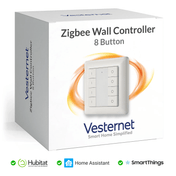
Start with high-traffic areas like living rooms and bedrooms, where voice control provides the greatest convenience benefit. Multi-button wall controllers offer advanced scene management whilst maintaining traditional switch functionality for household members who prefer manual control.
Voice lighting command examples:
- "Hey Siri, set living room lights to 30%" for ambient evening lighting
- "Turn on movie night scene" for predetermined lighting combinations
- "Dim bedroom lights gradually over 10 minutes" for sleep preparation
- "Turn off all downstairs lights" for comprehensive zone control
Climate and Heating Voice Control Setup
Smart thermostats and thermostatic radiator valves respond excellently to iPhone voice control commands, enabling precise temperature management through natural speech. This integration supports both whole-house climate control and individual room temperature adjustments, optimising comfort whilst maintaining energy efficiency.
Climate control voice commands:
- Room-specific adjustments: "Set office temperature to 21 degrees"
- Schedule modifications: "Turn on heating schedule for weekdays"
- Energy-saving modes: "Activate eco mode in guest bedroom"
- Quick comfort adjustments: "Make it warmer in here"
Configure temperature sensors strategically throughout your home to ensure accurate readings that inform your voice-activated climate decisions. iPad voice control excels in central locations where family members can easily adjust shared spaces without hunting for physical thermostats or individual radiator controls.
Motor Control and Automation Integration
Motor controllers managing blinds, curtains, garage doors, and other motorised systems integrate powerfully with iOS voice commands. These devices often incorporate security features and scheduling capabilities that enhance both convenience and home protection through coordinated automation scenes.
Voice command iPhone systems excel at managing multiple motorised devices simultaneously, creating sophisticated automation sequences that respond to single voice instructions. Consider how motorised blinds can coordinate with lighting and climate systems to optimise natural light whilst maintaining comfortable temperatures.
Motor control automation examples:
- "Good morning scene" opening blinds, adjusting lights, and setting comfortable temperature
- "Leaving home" sequence closing garage door, securing blinds, and activating security mode
- "Movie time" dimming lights, closing curtains, and adjusting room climate
Advanced Voice Command Customisation and Scenes
Creating complex automation scenes combines multiple device categories into coordinated responses triggered by simple voice commands. These scenes transform basic device control into sophisticated lifestyle management that adapts your environment to specific activities or times of day.
Advanced customisation techniques:
- Shortcuts app integration for custom Siri phrases and complex device sequences
- Conditional automation based on time, location, or sensor readings
- Voice command variations to accommodate different family members' speech patterns
- Scene testing and refinement for optimal response reliability
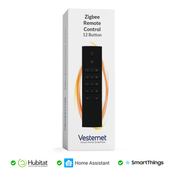
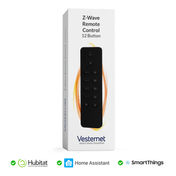
iPad voice control particularly benefits from custom shortcuts that family members can easily activate from central locations. Remote controllers provide an additional layer of convenience by offering physical backup control options for complex scene management.
Gateway Integration and Multi-Protocol Management
Smart home gateway hubs expand iOS voice control capabilities by bridging non-HomeKit devices into your Apple ecosystem. These devices manage multiple wireless protocols simultaneously, ensuring reliable communication between diverse smart home components whilst maintaining the unified control experience that iPhone voice control commands provide.
Quality gateways offer advanced features like local processing, backup connectivity, and enhanced security protocols that strengthen your overall smart home infrastructure. They enable voice control of devices that might otherwise require separate apps or manual operation, creating a more cohesive automation experience.
Gateway benefits for iOS integration:
- Device compatibility expansion without replacing existing investments
- Local processing reducing internet dependency for basic commands
- Enhanced reliability through multiple communication pathways
- Future-proofing for emerging smart home technologies and standards

Conclusion
iOS voice command integration transforms smart homes into intuitive, responsive environments that adapt naturally to daily routines and preferences. Through proper device selection, systematic setup, and thoughtful scene creation, homeowners achieve remarkable convenience, accessibility, and energy efficiency across lighting, climate, and automation systems that respond reliably to natural voice commands.
Start with one device category that provides immediate value, then gradually expand your voice-controlled smart home as you become comfortable with the technology. Investing in compatible devices and proper gateway infrastructure creates a cohesive ecosystem that grows with your needs whilst maintaining the seamless user experience that makes smart home technology genuinely beneficial rather than merely complex.
Ready to explore voice-controlled smart home devices for your iOS setup? Vesternet offers an extensive range of HomeKit-compatible devices and gateway solutions to build your perfect voice-controlled smart home. Browse our collections of smart lighting, climate control, and automation devices, or contact our smart home experts for personalised guidance on creating your ideal iOS-integrated home automation system.