The smart home revolution has transformed how we interact with our living spaces, yet many Android users find themselves frustrated by fragmented voice control options across different platforms and devices. Traditional smart home setups often require juggling multiple apps, remembering specific command phrases, and dealing with inconsistent responses that break the seamless experience homeowners expect.
Android's native voice control capabilities offer a powerful solution that can seamlessly integrate with smart home systems for intuitive, hands-free automation. By leveraging Google Assistant's sophisticated natural language processing and extensive device compatibility, Android users can create a unified voice control experience that enhances daily convenience whilst improving accessibility for all household members.
This comprehensive guide will teach you to set up, configure, and optimise voice control android systems for your entire smart home ecosystem. From mastering basic voice commands android functionality to creating sophisticated automation scenarios, you'll discover how to transform your home into a responsive, intelligent environment that anticipates your needs and responds to natural speech patterns.
Understanding Android Voice Control Fundamentals
Voice control android technology operates through a sophisticated combination of on-device processing and cloud-based artificial intelligence. Google Assistant serves as the primary interface, utilising advanced machine learning algorithms to interpret natural speech patterns and translate them into actionable commands for your connected devices.

Core Technologies Behind Android Voice Control:
- Local speech recognition for immediate response to wake words and basic commands
- Cloud-based natural language processing for complex queries and contextual understanding
- Device-specific APIs that enable direct communication with smart home protocols
- Continuous learning algorithms that adapt to your speech patterns and preferences
The system requires Android 5.0 or later with Google Assistant enabled, along with a stable internet connection for optimal performance. Voice recognition accuracy improves significantly with regular use, as the AI learns your pronunciation patterns and frequently used commands.
Essential Smart Home Device Categories for Voice Control
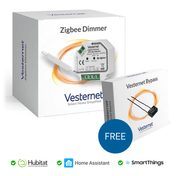
Successful android voice activation depends heavily on choosing compatible smart home devices that respond reliably to voice commands. Lighting systems typically offer the most straightforward integration, with dimmer switches and smart bulbs providing immediate feedback that helps users understand command effectiveness.
Climate control systems, including smart thermostats and HVAC controllers, represent another high-impact category for voice integration. These devices benefit particularly from hands-free operation when your hands are full or you're across the room.
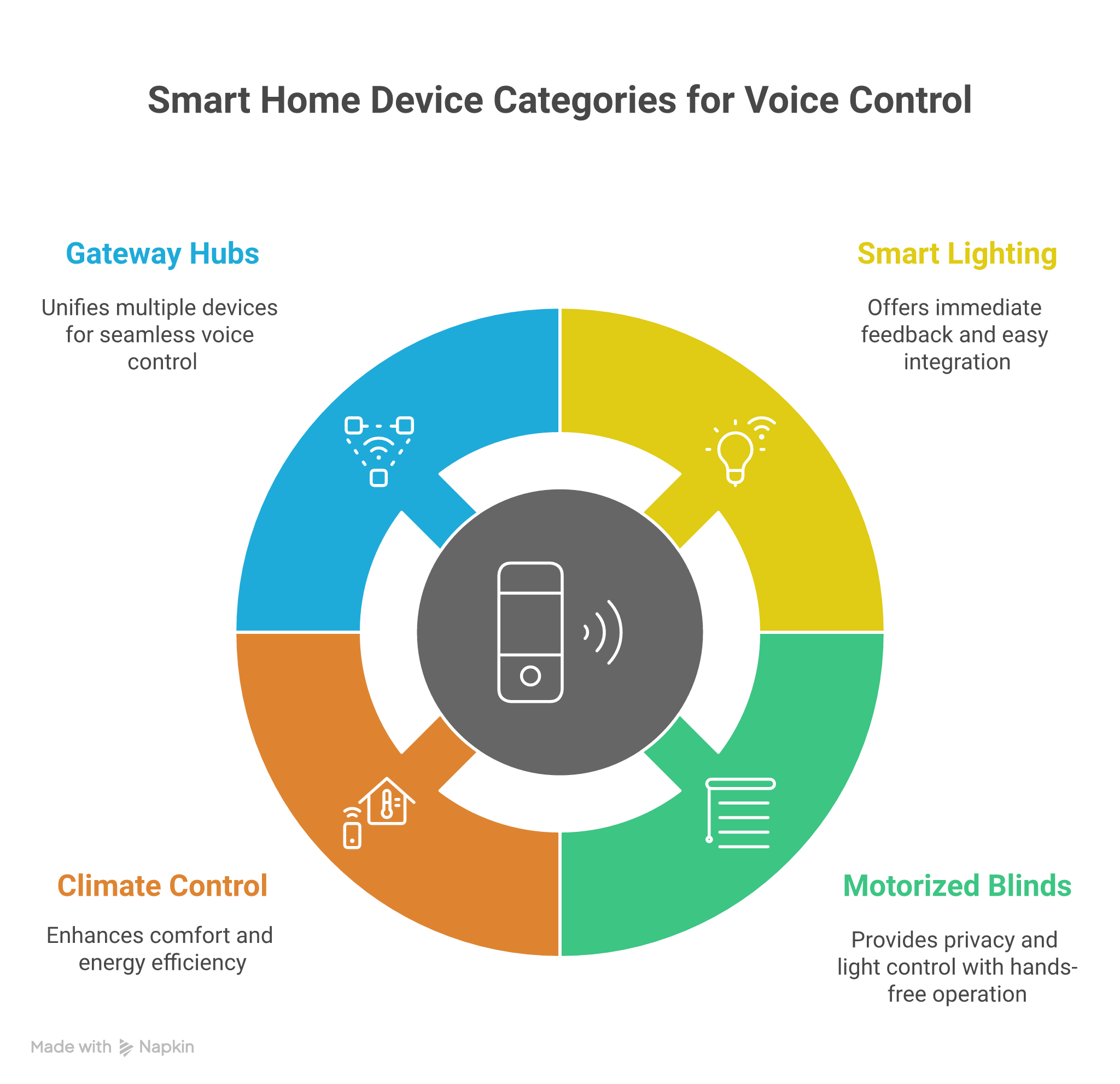
Priority Device Categories for Voice Integration:
- Smart lighting systems with dimming and colour-changing capabilities
- Motorised blinds and window coverings for privacy and light control
- Climate control devices including thermostats and smart radiator valves
- Gateway hubs that bridge multiple protocols for unified voice control
Setting Up Your Android Voice Control Environment
Begin by ensuring Google Assistant is properly configured on your Android device. Navigate to Settings > Google > Search, Assistant & Voice > Google Assistant, then complete the voice model training to improve recognition accuracy for your specific speech patterns.

Essential Setup Steps for Voice Control Android:
- Enable "Hey Google" detection and complete voice match setup
- Link your smart home device accounts through the Google Home app
- Assign devices to specific rooms for location-based commands
- Test basic commands and adjust microphone sensitivity if needed
Common setup issues include network connectivity problems and device discovery failures. Ensure all devices are connected to the same Wi-Fi network and that your router's firewall isn't blocking communication between the Google Assistant and your smart home hub.
Mastering Basic Voice Commands and Device Control
Effective voice commands android usage begins with understanding natural language patterns that Google Assistant recognises reliably. Start with simple, direct commands like "Turn on the living room lights" or "Set the thermostat to 21 degrees" before progressing to more complex multi-device instructions.
Command syntax flexibility allows for various phrasings of the same instruction. You can say "Dim the bedroom lights to 50%" or "Set bedroom lights to half brightness" to achieve identical results, making the system more intuitive for different household members.
Fundamental Command Categories:
- Device state control: "Turn on/off [device name]" or "Set [device] to [state]"
- Brightness and intensity: "Dim [lights] to [percentage]" or "Increase [fan] speed"
- Room-based commands: "Turn off all lights in [room name]"
- Custom shortcuts: Create personalised phrases for specific device combinations
Advanced Voice Automation and Routine Creation
Google Assistant routines transform basic voice control into sophisticated home automation by combining multiple actions under a single command. Morning routines might adjust lighting, start the coffee maker, and provide weather updates, whilst evening routines can secure the home and prepare the environment for sleep.
Powerful Routine Examples for Smart Homes:
- "Good morning" routine: Adjust thermostat, open blinds, turn on kitchen lights
- "Leaving home" sequence: Lock doors, arm security system, adjust temperature
- "Movie time" setting: Dim lights, close blinds, activate entertainment system
- Location-based triggers: Automatically execute routines when arriving or departing
Advanced users can create conditional routines that respond differently based on time of day, weather conditions, or sensor inputs. These sophisticated automations demonstrate the full potential of android voice activation when properly configured.
Optimising Device Compatibility and Protocol Integration
Device compatibility remains crucial for reliable voice control android performance. While Wi-Fi devices typically offer the simplest integration path, Zigbee and Z-Wave devices often require compatible hubs that can bridge between protocols and translate Google Assistant commands into appropriate device signals.
Modern smart home hubs serve as universal translators, enabling Google Assistant to communicate with devices regardless of their underlying communication protocol. This approach ensures consistent voice control across mixed-protocol environments.

Protocol Compatibility Considerations:
- Wi-Fi devices: Direct integration with minimal additional hardware requirements
- Zigbee systems: Require compatible hub with Google Assistant integration
- Z-Wave networks: Need certified gateway device for voice control functionality
- Proprietary protocols: May require specific bridge devices or cloud connections
Troubleshooting Common Voice Control Issues
Recognition errors often stem from ambient noise, unclear pronunciation, or incorrect device naming. Ensure your smart home devices have clear, distinct names that don't sound similar when spoken quickly or from a distance.
Common Issues and Solutions:
- Command not recognised: Retrain voice model and check device naming conventions
- Delayed responses: Verify internet connection stability and hub performance
- Incorrect device activation: Review room assignments and device groupings
- Intermittent connectivity: Check Wi-Fi signal strength and hub positioning
Regular maintenance includes clearing the Google Assistant cache, updating device firmware, and reviewing automation routines for outdated device references that might cause confusion.
Security and Privacy Considerations for Voice-Controlled Homes
Voice commands android systems collect audio data to function effectively, making privacy management essential for security-conscious homeowners. Google provides comprehensive controls for managing voice recordings, including automatic deletion settings and manual review options.
Network security becomes particularly important when voice control systems can unlock doors, disarm security systems, or control critical home infrastructure. Implement robust Wi-Fi security protocols and consider creating separate networks for smart home devices.
Essential Privacy and Security Measures:
- Enable voice recording auto-deletion after three months
- Use guest mode for visitors to prevent unauthorised routine access
- Secure smart home network with WPA3 encryption and unique passwords
- Regularly review and update device permissions and access controls
Conclusion
Android voice control transforms smart home interaction by providing intuitive, hands-free operation that enhances convenience, accessibility, and automation capabilities across all connected devices. The technology's sophisticated natural language processing and extensive compatibility make it an ideal foundation for comprehensive home automation systems.
Starting with basic voice commands and gradually expanding to advanced automation scenarios allows homeowners to build confidence whilst discovering the full potential of their smart home investment. The long-term benefits of a fully integrated voice-controlled ecosystem include improved accessibility, enhanced convenience, and more efficient home management.
Ready to build your voice-controlled smart home? Explore Vesternet's comprehensive range of compatible smart home devices, from intelligent gateways and wireless dimmers to automated motor controllers and smart climate control systems. Our expert team can guide you in selecting the perfect combination of devices for seamless Android voice integration.