Building a smart home in the UK has never been more accessible — but for many homeowners, the excitement of adding new devices quickly gives way to a familiar frustration. Ring doorbells, Arlo cameras, Google Home speakers, Apple HomeKit accessories, and SmartThings devices all promise a smarter life, yet out of the box they rarely communicate with one another in any meaningful way. Each platform operates within its own walled garden, and the more devices you add across different ecosystems, the more you feel the strain of fragmentation. You end up with several apps, limited automation options, and the nagging sense that your smart home is actually a collection of separate smart islands.
The architectural solution to this problem lies in cross-platform integration — specifically, in gateway hubs and protocol bridges that act as a neutral layer between competing ecosystems. Technologies such as Z-Wave and Zigbee, paired with capable multi-technology gateway hubs, allow devices from entirely different manufacturers and platforms to operate within a single automation framework. The result is unified control, deeper and more reliable automation, freedom from vendor lock-in, and a smart home that genuinely grows with your needs rather than against them.
This guide covers everything you need to understand and implement cross-platform smart home integration — from foundational protocol concepts and ecosystem mapping, through gateway hub selection and practical integration scenarios including Google Home with Ring, Apple Home with Arlo, and Ring Doorbell with SmartThings, to physical control layers, security integrations, and long-term planning. Whether you are just starting out or expanding an existing setup, this is your definitive reference for building a multi-ecosystem smart home that actually works.
Understanding the Smart Home Ecosystem Fragmentation Problem
Before investing in any new hardware, it helps to understand why the problem exists in the first place. A smart home ecosystem is essentially a platform — a combination of hardware, software, and cloud services that a manufacturer controls. Google Home, Apple HomeKit, Amazon Alexa, Samsung SmartThings, Ring, and Arlo each represent distinct ecosystems. They are built on different technical foundations, use different communication protocols, and are maintained by companies with competing commercial interests. The result is that devices designed for one ecosystem will not always behave as expected inside another.
Why Smart Home Devices Don't Always Work Together
The core issue is proprietary design. Manufacturers build walled gardens — closed systems where their devices work best with their own products and platforms. Some offer limited integration with competitors through APIs, but these connections are often fragile, slow, and restricted in scope. A protocol is the language a device uses to communicate wirelessly; a bridge translates between two different protocols; and a gateway hub is a central controller capable of speaking multiple protocols simultaneously.
The Most Common Ecosystem Conflicts
- Ring has limited native Apple HomeKit support, requiring workarounds for HomeKit users
- Arlo's Google Home integration is partial, restricting automation depth
- SmartThings automations depend on specific hub hardware and cloud connectivity
- Google Home and Apple HomeKit use incompatible local control architectures
What 'Integration' Actually Means
Not all integrations are equal. Voice-assistant passthrough — asking Google to trigger an Alexa device — is a surface-level workaround, not true integration. Genuine cross-platform integration means that a device in one ecosystem can trigger an automation in another, in real time, reliably, and without depending on multiple cloud services to stay online simultaneously. The deepest level is bidirectional, protocol-level control through a gateway hub — and that is the standard this guide works towards.
The Building Blocks: Wireless Protocols That Power Cross-Platform Integration
To understand how gateway hubs achieve cross-platform integration, you first need a working knowledge of the wireless protocols involved. These are the languages that smart home devices speak, and choosing the right protocol mix is fundamental to building a resilient, multi-ecosystem setup.
Z-Wave
Z-Wave is a dedicated smart home mesh protocol that operates on a sub-GHz frequency — typically 868 MHz in the UK — which keeps it completely separate from the crowded 2.4 GHz band used by Wi-Fi and most consumer electronics. This makes Z-Wave highly reliable and interference-free. It is widely used for sensors, door and window contacts, smart plugs, lighting controllers, and wall switches across mixed ecosystems. Z-Wave devices carry interoperability certification, meaning a Z-Wave sensor from one manufacturer will work with a Z-Wave gateway from another — an important distinction in a fragmented market.
Zigbee
Zigbee is the backbone of many major ecosystems, including Amazon Echo, Samsung SmartThings, Arlo base stations, and Philips Hue. Like Z-Wave, it uses mesh networking, where each device strengthens the network by relaying signals. However, manufacturers often implement Zigbee in proprietary ways, which can limit interoperability between brands. A capable Zigbee-compatible gateway hub can bridge many of these manufacturer-specific implementations, opening up a much wider range of devices for cross-platform automation.
Wi-Fi and Cloud-Based Protocols
Platforms such as Ring and Google Home operate primarily over Wi-Fi and cloud APIs. This means that automations relying on these platforms depend on an internet connection and the availability of the manufacturer's cloud servers. For straightforward control this is often acceptable, but for latency-sensitive automations or scenarios where privacy and local processing matter, cloud dependency becomes a meaningful limitation.
Matter and Thread
Matter is an emerging open standard backed by Apple, Google, Amazon, and Samsung, designed to make cross-ecosystem compatibility a native feature rather than a bridged afterthought. Thread is the underlying low-power mesh networking layer that many Matter devices will use. While the promise is significant, current device availability remains limited and ecosystem adoption is still maturing. Matter does not replace Z-Wave or Zigbee today — it complements them, and we will return to this in the future-proofing section.

Gateway Hubs and Protocol Bridges: The Infrastructure Layer of a Unified Smart Home
If the wireless protocols are the languages of your smart home, the gateway hub is the interpreter. This section covers everything you need to know about selecting and using the right gateway infrastructure to achieve genuine cross-platform integration.
What Is a Smart Home Gateway Hub?
A gateway hub is a central controller that can communicate across multiple wireless protocols simultaneously. Rather than replacing your existing devices, it sits alongside them and acts as the connective tissue between ecosystems. A gateway hub can receive a command from Google Home, translate it into a Z-Wave signal for a smart plug, or trigger a Zigbee sensor automation based on a Ring doorbell event — all within a single, coherent automation engine.
Multi-Technology Hubs vs Single-Protocol Hubs
Single-protocol bridges — such as a Zigbee-only hub or a Z-Wave-only controller — are useful for expanding a single ecosystem, but they cannot provide genuine multi-ecosystem integration on their own. A multi-technology hub that supports Z-Wave, Zigbee, Wi-Fi, and Matter simultaneously is the far more powerful and future-proof choice.
- Multi-technology hubs handle Z-Wave, Zigbee, and Wi-Fi devices in one platform
- Single-protocol bridges are less expensive but limited in scope
- Multi-technology hubs reduce the number of separate controllers required
- They provide a single automation engine rather than several fragmented ones
USB Protocol Controllers and PC-Based Automation
For tech-savvy users comfortable with open-source software, USB stick controllers offer a lightweight, cost-effective route into Z-Wave or Zigbee automation. Plugged into a Raspberry Pi or home server running a platform such as Home Assistant, a USB controller can provide the same protocol bridging capability as a dedicated hub appliance — at a fraction of the cost. This approach is particularly well-suited to DIY enthusiasts who want granular control over their automation platform and are comfortable with a little configuration.
How Gateway Hubs Handle Ecosystem Conflicts
The gateway's core role is translation. When Ring detects motion at your front door, a gateway hub with API integration can intercept that event and use it to trigger a Zigbee smart plug or a Z-Wave wall controller — devices that Ring has no native knowledge of. This translation layer is what makes genuine protocol bridging possible. Local processing is critical here: automations that run on the gateway hub rather than in the cloud are faster, more reliable, and do not depend on any single manufacturer's servers remaining online.
Key Features to Look For in a Gateway Hub
- Simultaneous support for Z-Wave, Zigbee, Wi-Fi, and ideally Matter or Thread
- Local processing capability for speed, privacy, and offline resilience
- Active software and firmware development community
- Scalability to support a growing number of devices without performance degradation
- Secure remote access for managing your home when away

Practical Integration Scenarios: Google Home, Ring, Arlo, SmartThings, and Apple HomeKit
Understanding protocols and gateway hardware is valuable, but what most homeowners actually want to know is how to connect the specific platforms they already own. The following scenarios address the most common cross-platform combinations and explain what is — and is not — achievable at each level of integration.
Google Home with Ring
Google Home with Ring is one of the most frequently searched integration combinations in the UK, and also one of the most misunderstood. Natively, Ring and Google Home offer limited interoperability — you can view some Ring camera feeds on a Google Nest Hub display, but deep automation is largely absent. Ring doorbell events, for example, cannot natively trigger Google Home routines in a meaningful way. A multi-technology gateway hub that connects to Ring's cloud API and to Google Home's API simultaneously can bridge this gap, allowing a Ring doorbell press to trigger a Google Home announcement, flash smart lights, or activate a Z-Wave device — actions that are simply not available through either app alone.
Apple HomeKit with Arlo
Apple HomeKit has exceptionally strict security and protocol requirements, which is part of why Apple Home with Arlo is a nuanced integration. Arlo does support HomeKit Secure Video on select models, but this support varies by camera model and requires an iCloud storage plan. For Arlo cameras that do not natively support HomeKit, a software bridge — such as Homebridge running on a Raspberry Pi paired with a USB Zigbee or Z-Wave controller — can extend these cameras into the Apple Home app. This approach requires some technical setup but delivers a reliable, locally managed integration that many HomeKit users find worthwhile.
Ring Doorbell and SmartThings
SmartThings does offer a native integration with Ring, but it is largely limited to voice and cloud-based routines rather than true local automation. Ring Doorbell with SmartThings reaches its full potential when a Z-Wave or Zigbee gateway hub is added to the architecture. In this configuration, a Ring doorbell event can trigger SmartThings-connected Z-Wave door sensors, smart plugs, and wall controllers without relying entirely on cloud routines — adding both speed and resilience to your automations.
Building a Unified Dashboard Across All Ecosystems
For homeowners managing Google Home, Ring, Arlo, SmartThings, and Z-Wave or Zigbee devices simultaneously, a unified local automation controller — such as Home Assistant — offers the most comprehensive solution. Using a multi-technology gateway hub or a USB controller as the protocol backbone, this type of platform aggregates all ecosystems into a single interface, enabling automations that span every device regardless of its native platform.

Securing Your Entry Points: Door, Window, and Camera Integration Across Ecosystems
Security is consistently the most common motivation for cross-platform integration. Most homeowners begin their smart home journey with a video doorbell or camera system, only to discover that these devices sit in isolation from the rest of their automation setup. Bridging the security layer across ecosystems is where gateway hubs deliver some of their most practical value.
Why Entry Point Security Is the Most Common Cross-Platform Pain Point
Video doorbells and cameras from Ring and Arlo are built around cloud-dependent notification systems. They are excellent at alerting you to activity, but they were not designed to serve as automation triggers for devices in other ecosystems. This is the gap that protocol-level integration through a gateway hub is uniquely positioned to fill.
Door and Window Sensors as the Missing Link
Z-Wave and Zigbee door and window sensors, paired to a gateway hub, provide real-time, local automation triggers that operate entirely independently of cloud-dependent doorbells. These sensors are fast, reliable, and highly energy-efficient. They also enable automations that go beyond security — a door sensor can trigger heating adjustments, lighting changes, or appliance shutoffs just as easily as it triggers an alert.
- Real-time alerts delivered locally, without cloud latency
- Automation triggers for lighting, heating, and smart plug devices
- Reliable redundancy alongside cloud-connected camera platforms
- Long battery life and interference-free mesh connectivity
Integrating CCTV and Smart Cameras into a Unified System
Cameras with motion detection and night vision can be surfaced within a broader home automation platform through a combination of gateway hub integrations, RTSP stream support, and API bridges. The trade-off to understand is between cloud-dependent camera platforms — which are easy to set up but reliant on subscription services — and locally integrated alternatives that offer more automation depth but require more initial configuration.
Automations That Span Cameras, Sensors, and Plugs
Consider a practical example: a Ring doorbell detects motion and sends an event to a gateway hub via its cloud API. The gateway then activates a Z-Wave smart plug controlling a porch light, simultaneously triggers a Zigbee door sensor check, and logs the event to a local dashboard. This kind of cross-platform automation chain is simply not possible through any single manufacturer's app — it requires the gateway hub as the orchestrating layer.
Expanding and Controlling Your Unified Smart Home: Plugs, Switches, and Wall Controllers
A gateway hub creates the foundation; smart plugs, switches, and wall controllers are the action endpoints that make automation tangible and useful in everyday life. These devices are the physical layer of your cross-platform integration architecture.
Smart Plugs and Switches as Universal Integration Points
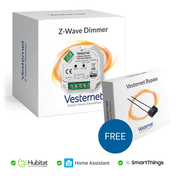
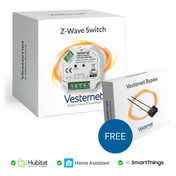
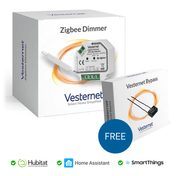
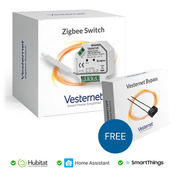
Z-Wave and Zigbee smart plugs and switches connected to a gateway hub become accessible from any ecosystem — Google Home, Apple HomeKit, Amazon Alexa, or SmartThings — without being native to any of them. The gateway acts as the translator, presenting these devices to whichever voice assistant or app you prefer. Beyond simple on/off control, these devices commonly offer energy monitoring and scheduling, adding genuine utility alongside their integration role.
Wall Controllers as Physical Override Layers
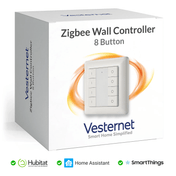
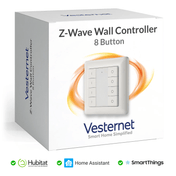
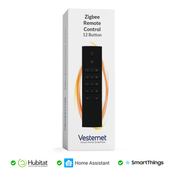
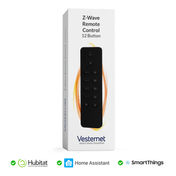
In a cross-platform system, voice control and app-based automation can occasionally fail at ecosystem boundaries — a cloud service goes down, an API changes, or a routine stops firing correctly. A wireless wall controller paired directly to the gateway hub provides a reliable, protocol-level physical control point that operates entirely independently of cloud services. It is the human interface of last resort, and in a well-designed cross-platform home, it is always present.
Designing Automation Chains Across Devices
The real power of a gateway hub becomes clear when you start designing automation chains that span multiple device types. A single wall controller button press might activate a Z-Wave smart plug, send a notification through a cloud-connected platform such as Ring or Google Home, and simultaneously arm a camera recording schedule. These multi-step, cross-protocol automations are the architectural value of the gateway — turning individual smart devices into a genuinely intelligent, coordinated system.
Planning Your Cross-Platform Integration Architecture: A Step-by-Step Approach
Before purchasing any new hardware, a structured planning process will save you time, money, and considerable frustration. The following steps are designed to guide you through the key decisions in a logical order, ensuring that your gateway infrastructure supports both your current needs and your long-term ambitions.
Step 1 — Audit Your Existing Devices and Ecosystems
Start by listing every smart device you own, the ecosystem it belongs to, and the wireless protocol it uses. Identify where the conflicts lie — which devices cannot currently communicate, which automations you wish existed, and which platforms you are most committed to keeping. This audit forms the basis for every subsequent decision.
Step 2 — Define Your Integration Goals
- Unified voice control across all devices from any assistant
- Local automations that do not depend on cloud connectivity
- A single app or dashboard for all devices and ecosystems
- Cross-device scenes that span multiple protocols and platforms
Step 3 — Choose Your Central Automation Hub
Based on your goals and device mix, choose between a commercial multi-technology hub, a USB stick controller with open-source software, or a hybrid of both. The gateway hub is the long-term investment in your smart home — far more so than any individual device. Prioritise capability, software support, and protocol breadth over upfront cost.
Step 4 — Plan Your Protocol Layers
Not every device needs to use the same protocol. Z-Wave is ideal for devices where reliability and interference-free operation are paramount — sensors, locks, and critical smart plugs. Zigbee suits devices where mesh density matters and cost is a factor. Wi-Fi is appropriate for devices that require cloud connectivity or high bandwidth, such as cameras. Balancing these layers thoughtfully will give you a robust, scalable network.
Step 5 — Think in Terms of Automations, Not Apps
The most important mental shift in cross-platform integration is moving from 'which app controls this device' to 'what should happen when this event occurs'. The gateway hub's automation engine is the true value of your integration infrastructure. When you design automations first and choose hardware to support them, rather than the other way around, you build a system that consistently delivers rather than one that constantly disappoints.

Future-Proofing Your Smart Home: Matter, Thread, and the Long-Term Integration Roadmap
The smart home landscape is changing, and understanding where it is heading will help you make hardware choices today that remain sound tomorrow. Matter and Thread represent the most significant shift in smart home interoperability in years — but their practical impact is still unfolding.
What Matter Promises for Cross-Platform Compatibility
Matter is a royalty-free, IP-based smart home standard developed by the Connectivity Standards Alliance and backed by Apple, Google, Amazon, and Samsung. Its central promise is that a Matter-certified device will work natively with any Matter-compatible ecosystem — no bridges, no workarounds. In practice, Matter is already delivering on this promise for lighting, plugs, and basic sensors, though the range of available devices is still growing and some ecosystem-specific features remain outside Matter's scope.
Thread and Its Relationship to Gateway Infrastructure
Thread is the low-power mesh networking protocol that underpins many Matter devices. Thread border routers — devices that connect a Thread mesh network to your IP network — are already built into many modern gateway hubs and smart speakers. Choosing a gateway hub that includes Thread border router capability now means your infrastructure is ready to onboard Matter devices as they become available, without requiring hardware replacement.
Why Z-Wave and Zigbee Remain Relevant Alongside Matter
Despite the excitement around Matter, Z-Wave and Zigbee are not going anywhere. The installed base of Z-Wave and Zigbee devices globally is enormous, the device ecosystems are mature, and manufacturer support remains strong. For homeowners with existing Z-Wave or Zigbee devices — or those purchasing new sensors, plugs, and controllers today — these protocols will continue to be well-supported for many years. Multi-technology gateway hubs that support Z-Wave, Zigbee, and Matter simultaneously are the safest long-term investment precisely because they do not force you to choose.
Choosing Hardware That Grows With the Standard
- Prioritise gateway hubs with active firmware development and community support
- Look for multi-protocol chipsets that can adapt through software updates
- Avoid single-protocol hubs that will require full replacement as Matter matures
- Choose USB controllers compatible with open-source platforms for maximum flexibility
Conclusion
Cross-platform smart home integration is no longer a niche pursuit for technology enthusiasts — it is an increasingly necessary strategy for anyone who has invested in devices across multiple ecosystems and wants them to work together reliably. The core takeaway from this guide is that the gateway hub is the keystone of a unified smart home: it is the one piece of infrastructure that removes the ceiling imposed by individual ecosystems, translates between protocols such as Z-Wave and Zigbee, and gives your automations a stable local foundation that does not depend on any single manufacturer's cloud service. Whether the goal is connecting Google Home with Ring, bridging Apple Home with Arlo cameras, or building SmartThings automations that respond to Ring Doorbell events alongside door sensors and smart plugs, the answer in every case points back to a capable, multi-technology gateway at the centre of the system.
The best place to start is always with a clear audit of what you already own, followed by a deliberate choice of gateway infrastructure that matches both your current devices and your long-term ambitions. From there, you can layer in Z-Wave and Zigbee devices — sensors, smart plugs, wall controllers — that connect directly to your gateway's automation engine and become accessible from any ecosystem you choose to surface them through. A cross-platform smart home is built incrementally, with each new device and automation adding capability without requiring you to start over.
Ready to explore gateway hubs, protocol devices, and smart home hardware for your cross-platform setup? Browse Vesternet's curated range of multi-technology gateway hubs, Z-Wave devices, Zigbee devices, smart cameras, door and window sensors, USB controllers, smart plugs, and wall controllers — all selected for compatibility, reliability, and long-term integration potential. If you are unsure where to start or which combination of hardware suits your existing ecosystem, Vesternet's expert team is available to help you plan your setup and make confident, future-proof purchasing decisions.