Modern smart homes generate complexity challenges with multiple devices, protocols, and security systems operating in isolation, creating gaps in automation and potential security vulnerabilities. When your door sensors operate independently from your smart locks, lighting systems run on separate schedules from your alarm components, and access control devices like the nuki smart lock app function without coordination with other security elements, you're missing critical opportunities for comprehensive protection.
Home Assistant integration provides a unified platform for orchestrating security automation, enabling seamless coordination between access control devices, sensors, and alarm systems while maintaining robust remote management capabilities. By bringing together disparate systems—from traditional Z-Wave sensors to modern smart locks managed through home assistant nuki integration—you create a cohesive security ecosystem that responds intelligently to real-world scenarios rather than operating as isolated components.
This comprehensive guide covers fundamental integration concepts, step-by-step setup procedures, advanced automation techniques, and professional-grade security configurations for complete smart home control. You'll discover how to transform disconnected devices into an intelligent network that provides enhanced protection, streamlined management, and the flexibility to control everything from web nuki interfaces to complex multi-device automation scenes.
Understanding Home Assistant and Smart Security Integration
Home Assistant serves as the central nervous system for smart home orchestration, providing a unified platform that bridges the communication gaps between different manufacturers, protocols, and device types. Rather than managing multiple apps and systems separately, this open-source platform creates a single interface where your security components work together as a cohesive unit.
Core integration benefits for security systems:
- Unified control interface eliminating the need for multiple manufacturer apps
- Cross-protocol communication enabling Z-Wave, Zigbee, and Wi-Fi devices to interact
- Advanced automation logic that responds to complex security scenarios
- Local processing ensuring continued operation during internet outages
The platform's strength lies in its ability to connect traditionally incompatible systems, allowing your door sensors to trigger lighting changes, smart locks to activate alarm systems, and occupancy patterns to adjust security modes automatically. This level of integration transforms basic security components into an intelligent network that adapts to your household's unique patterns and requirements.

Essential Hardware Components for Security Integration
Building a robust security automation system requires carefully selected hardware components that provide reliable communication and comprehensive coverage. The foundation begins with a capable gateway that supports multiple wireless protocols, ensuring your devices can communicate effectively regardless of their native communication standards.
Critical hardware categories for comprehensive security:
- Multi-protocol gateways supporting Z-Wave, Zigbee, and Wi-Fi connectivity
- Door and window sensors for perimeter monitoring and breach detection
- Smart locks with API integration capabilities for access control automation
- Motion detectors with pet immunity and adjustable sensitivity settings
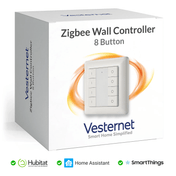
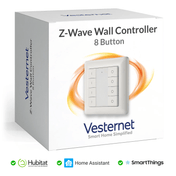
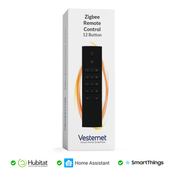
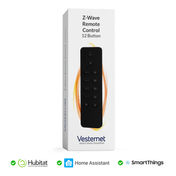
- Wireless controllers for convenient manual override and scene activation
Modern smart locks, particularly those compatible with comprehensive management systems, offer sophisticated integration possibilities that extend far beyond basic remote unlocking. When properly configured within Home Assistant, these devices become integral components of larger security scenes, automatically adjusting lighting, disabling alarms, and logging access events for comprehensive household management.

Initial Setup and Configuration Framework
Establishing your Home Assistant environment requires systematic preparation and methodical device integration to ensure reliable operation and optimal performance. Begin by installing Home Assistant on dedicated hardware—whether a Raspberry Pi, dedicated mini-computer, or virtual machine—ensuring adequate processing power and storage for your planned device count.
Essential configuration steps:
- Network preparation including static IP assignment and port forwarding
- Gateway integration through USB dongles or network-connected hubs
- Device discovery and pairing using manufacturer-specific protocols
- Basic automation rule creation for immediate functionality testing
During initial device integration, focus on establishing stable connections before implementing complex automation. Start with fundamental components like door sensors and smart locks, verifying communication reliability and response times. This methodical approach prevents troubleshooting complications later when multiple devices and automation rules interact simultaneously.
Advanced Security Automation Strategies
Sophisticated automation transforms your security system from reactive monitoring to proactive protection through intelligent pattern recognition and conditional responses. Advanced strategies leverage occupancy detection, time-based triggers, and device state monitoring to create security behaviours that adapt to real-world scenarios rather than operating on simple schedules.
Intelligent automation techniques:
- Conditional logic chains that evaluate multiple sensor inputs simultaneously
- Geofencing integration that adjusts security modes based on household member locations
- Occupancy-based responses that differentiate between residents and potential intruders
- Time-sensitive automation that adapts security posture throughout daily cycles
Consider implementing cascading security responses where initial triggers activate secondary monitoring systems before escalating to full alarm conditions. For example, unexpected door access during away periods might first activate interior cameras and increase sensor sensitivity before triggering audible sirens, providing verification opportunities that reduce false activations while maintaining comprehensive protection.

Remote Access and Mobile Control Implementation
Secure remote access enables comprehensive system management from any location while maintaining robust security protocols that protect your network from external threats. Implementation requires careful configuration of encrypted connections, authentication systems, and network security measures that provide convenience without compromising protection.
Remote access configuration essentials:
- VPN setup for encrypted communication channels and network protection
- Mobile app configuration enabling real-time monitoring and control
- Notification systems providing immediate alerts for security events
- Backup communication methods ensuring connectivity during primary network issues
Modern remote access solutions extend beyond basic monitoring to provide full system control, including the ability to manage smart locks, adjust alarm settings, and review security footage from anywhere with internet connectivity. This capability proves invaluable for managing access for service personnel, family members, and temporary guests while maintaining complete oversight of all security-related activities.
Multi-Device Orchestration and Scene Management
Complex automation scenes coordinate multiple device types to create comprehensive security responses that address real-world scenarios through intelligent device orchestration. These scenes transform individual components into collaborative systems that respond appropriately to various security conditions while providing flexible manual control options.
Comprehensive scene categories:
- Departure scenes that secure all entry points and activate monitoring systems
- Arrival sequences that disarm appropriate systems while maintaining perimeter protection
- Sleep modes that adjust internal monitoring while maintaining external security
- Panic responses that immediately activate all alarm systems and emergency protocols
Effective scene management requires balancing automation convenience with manual override capabilities, ensuring household members can quickly adjust security postures when situations deviate from normal patterns. This flexibility proves essential for accommodating guests, service appointments, and irregular schedules while maintaining consistent protection levels through convenient wall controllers.

Troubleshooting and Optimization Techniques
Maintaining reliable security automation requires proactive monitoring and systematic optimization to address connectivity issues, performance degradation, and device responsiveness problems before they impact system effectiveness. Regular maintenance protocols ensure your security integration continues operating at peak efficiency.
Common optimization strategies:
- Network mesh analysis to identify and resolve communication dead zones
- Device battery monitoring with automated replacement scheduling
- Automation logic testing through simulated scenarios and edge case evaluation
- Performance monitoring to identify devices causing system slowdowns
Systematic troubleshooting approaches help identify root causes rather than addressing symptoms, preventing recurring issues that undermine system reliability. Document successful resolution techniques and maintain configuration backups to facilitate rapid recovery during critical system failures.
Future-Proofing Your Security Integration
Planning for system expansion ensures your security automation framework can accommodate new technologies, additional devices, and evolving household requirements without requiring complete reconfiguration. Scalable design principles and flexible automation structures provide the foundation for long-term system growth and capability enhancement.
Expansion planning considerations:
- Modular automation design that supports additional device integration
- Protocol diversification to accommodate emerging communication standards
- Capacity planning for increased processing and storage requirements
- Update management strategies for maintaining security patches and feature improvements
Future-proofing extends beyond hardware considerations to include software architecture and automation logic that remains flexible as new capabilities become available. Design your system with expansion in mind, ensuring adequate networking capacity and processing power to support additional devices and more sophisticated automation rules as your needs evolve.
Conclusion
Successful Home Assistant integration transforms disconnected security devices into a cohesive, intelligent protection system that provides enhanced control, automation capabilities, and peace of mind through unified management of access control, monitoring, and alarm systems. By leveraging smart home orchestration principles, you create security automation that responds intelligently to real-world scenarios while maintaining the flexibility to adapt to changing household requirements and emerging technologies.
Start with core components like a reliable gateway and essential sensors, then gradually expand your system's capabilities by adding controllers and advanced automation rules, building expertise through hands-on experience with each integration step. Whether you're managing access through sophisticated smart lock applications, coordinating home assistant nuki integration, or developing comprehensive automation scenes accessible through web nuki interfaces, the key lies in systematic implementation that prioritises reliability over complexity.
Ready to explore smart security integration for your home? Browse our extensive collection of compatible gateways, door and window sensors, wireless controllers, and alarm systems designed to work seamlessly with Home Assistant, backed by expert guidance to help you create the perfect automated security solution for your specific needs.