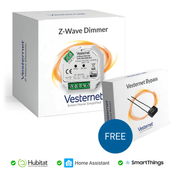
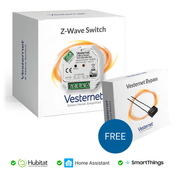
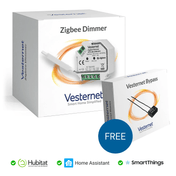
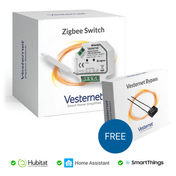
In short: a device works with your smart home system when three things line up. It uses a radio your controller has, it is made for your region, and your controller knows how to talk to that type of device. Check those three before you buy and you will avoid nearly every compatibility problem.
Who this guide is for
- You already have a controller and want to know whether a device will work with it.
- You're starting out and want a system that works with as many devices as possible.
- You want your devices to work with Alexa, Google Home or Apple Home as well.
What is smart home compatibility?
Smart home compatibility means two products can work together. There are two ways that happens, and it helps to know which one you are looking at.
Compatible
The two products speak the same wireless language, such as Z-Wave or Zigbee, and talk to each other directly. A Z-Wave sensor joins a Z-Wave controller. Nothing else is needed.
Interoperable
The two products speak different languages and something in the middle translates. That might be your controller, a bridge, Matter or a cloud service. A Zigbee light on your controller that also appears in Apple Home is interoperable.
Compatible is simpler and usually faster, because nothing sits in between. Interoperable gives you more choice, but the link in the middle may pass on only part of what a device can do.
What decides whether a device works with a hub?
Three checks, in this order. If the answer to either of the first two is no, the device cannot connect, whatever the box says. If the third is no, it may not join, or may only partly work.
1. The same radio
Z-Wave, Zigbee, Thread, Wi-Fi and Bluetooth are different radio technologies. A controller can only talk directly to devices that use a radio it has built in, or one you add with a USB stick. A Zigbee sensor cannot join a controller that only has Z-Wave, however good either product is.
Zigbee and Thread use the same kind of radio but speak different languages. A Thread device will not join a Zigbee network, and a Zigbee device will not join a Thread network.
2. The same region
Z-Wave uses a different frequency in each part of the world. In the UK and Europe it is 868 MHz. A device made for North America or Australia cannot hear a UK controller, and its region cannot be changed. Check the Z-Wave Region on the product page before you buy. For the UK and Europe it should say EU (868 MHz).
Zigbee, Thread and Wi-Fi use 2.4 GHz everywhere, so region is not a radio problem for them. Do still check the plug type and voltage on mains-powered devices.
3. Supported by the controller
Joining the network is only the first step. The controller also needs to understand what the device is and what it can do. Each platform has its own name for this: a driver on Hubitat and SmartThings, an app on Homey, an integration on Home Assistant, a template on Fibaro.
Common device types such as switches, dimmers, plugs and standard sensors usually work straight away, because Z-Wave and Zigbee define them in a standard way. Newer or unusual devices may need the controller's software to catch up.
Which controllers work with which technologies?
These are the controllers we cover in our guides. Start with the radios, because nothing else matters until the radio matches.
 Hubitat ElevationZ-Wave and Zigbee built in
 Homey ProZ-Wave, Zigbee, Thread and Matter built in
 Home AssistantAdd each radio with a USB stick
 Fibaro Home CenterA Z-Wave controller first
 Aeotec Smart Home HubZigbee, Thread and Matter with SmartThings
| Controller | Z-Wave | Zigbee | Matter and Thread |
|---|---|---|---|
| Hubitat Elevation | Built in | Built in | Controls Matter devices. Thread devices need a Thread border router on your network |
| Homey Pro | Built in (check the model) | Built in | Matter and Thread built in |
| Home Assistant | With a USB stick | With a USB stick | Matter built in. Thread with a Thread radio or an existing border router |
| Fibaro Home Center | Built in | Built in on Home Center 3. Check the product page for other models | Check the product page |
| Aeotec Smart Home Hub (SmartThings) | Earlier model only. The current hub has no Z-Wave | Built in | Matter and Thread built in |
Radios change between hub generations. Check the product page for the exact model you are buying. For help choosing, see Choosing a smart home controller.
Which smart home system has the best compatibility?
The widest compatibility comes from a controller with several radios and an active community writing device support. Home Assistant supports the most brands and devices, but takes the most setting up. Homey Pro has the most radios built into one box. Hubitat has both Z-Wave and Zigbee and a large library of drivers. If you want Z-Wave, rule out any hub without a Z-Wave radio first.
How to check before you buy
- Read the product page fieldsEvery product page on our site shows the Technology, the Device Type and, for Z-Wave, the Z-Wave Region.
- Match them to your controllerThe Technology must be one your controller has a radio for. The region must be yours.
- Look the device upCheck your platform's list of supported devices, or search its community forum for the device name.
What the product page fields mean
| Field | What it tells you |
|---|---|
| Technology | The radio the device uses: Z-Wave, Zigbee, Thread, Matter or Wi-Fi. This is check 1. |
| Z-Wave Region | The frequency version of a Z-Wave device. For the UK and Europe it should say EU (868 MHz). This is check 2. |
| Device Type | What the device is, such as Dimmer, Plug or Motion Sensor. Use it to search your controller's supported device list. This helps with check 3. |

Vesternet devices: tested support pages
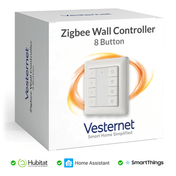
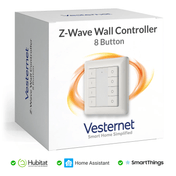
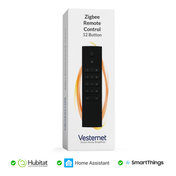
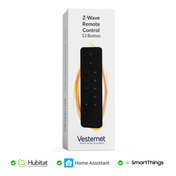
For our own-brand Z-Wave and Zigbee devices, we publish device support pages for the main platforms. They show how each device behaves on Hubitat, SmartThings and Home Assistant (Z-Wave JS, ZHA and Zigbee2MQTT), and which driver to use. Start at Vesternet device support and pick your platform.
Other brands
Hubitat, Homey, Home Assistant, SmartThings and Fibaro each publish a list of supported devices, apps or integrations. Their community forums are the best place to find out how a device behaves in real use. Search for the exact model, not just the brand, because one brand can sell Z-Wave, Zigbee and Wi-Fi versions of what looks like the same product.
What does "partial support" mean?
Partial support means the device joins and its main function works, but some features do not. It is the most common kind of compatibility problem, and it is rarely a fault with the device.
Typical examples:
- A plug switches on and off, but its energy readings do not appear.
- A wall controller's single press works, but double press and hold are not recognised.
- A dimmer works, but you cannot change its settings (minimum level, switch type) from the controller.
- A multi-sensor reports motion and temperature, but not light level.
- Everything works, but the controller cannot update the device's firmware.
It usually happens because the controller is using a generic driver that only knows the standard functions. A device-specific driver, app or integration normally fixes it, and platforms add these over time. If a particular feature matters to you, such as energy monitoring or scene buttons, check that feature by name before you buy.
Devices shared through a bridge or through Matter are often partially supported by design. On and off, dimming and sensor readings come through. Detailed settings usually stay on the controller the device is joined to.
Will it work with Alexa, Google Home and Apple Home?
Voice assistants are a second layer of compatibility. The question is not only "does the device work with my controller?" but also "can my assistant see it?"
Smart speakers cannot talk to Z-Wave devices, and most cannot talk to Zigbee devices directly. In a Z-Wave or Zigbee home the route is through the controller: devices join the controller, and the controller passes them on to the assistant.
Amazon Alexa
- All five controllers above can link to Alexa.
- Some Echo speakers also have a Zigbee radio and can act as a simple Zigbee hub.
- Recent Echo devices can control Matter devices.
Google Home
- All five controllers above can link to Google Home.
- Recent Nest speakers and displays can control Matter devices, and some are Thread border routers.
Apple Home and Siri
- Apple Home works with HomeKit and Matter devices.
- A HomePod or Apple TV acts as the home hub.
- Support from controllers varies, so check your platform. Matter is now the usual route.
Linking a controller to an assistant normally shares lights, switches, plugs, thermostats and common sensors. Treat voice as a convenient extra. Keep your automations on the controller, where they run locally and can use every feature of the device. For more on this, see Choosing a smart home controller.
How Matter bridges things
Matter is a shared language that Apple, Google, Amazon, Samsung SmartThings and many device makers have agreed on. It helps compatibility in two ways.
- Matter devices work with any Matter controller that supports that device type, whatever the brand. One device can be added to several systems at once.
- Matter bridges pass on devices that are not Matter. A controller or gateway that acts as a bridge can present its Zigbee or Z-Wave devices to Apple Home, Google Home or Alexa as if they were Matter devices.
Not every controller can act as a bridge, and those that can do not always share every device type. Bridged devices show their main functions only. Matter does not let a Zigbee or Z-Wave device join a Matter system directly: there is always a bridge in between.
The full picture is in Matter and Thread explained.
Common questions
Do all Z-Wave devices work with all Z-Wave controllers?
If they are the same region, they will join and the standard functions will work. That is what Z-Wave certification guarantees. Extra features may still need a device-specific driver.
Do all Zigbee devices work with all Zigbee hubs?
Zigbee 3.0 devices from different brands join the same network. Some brands add features of their own that only work fully on their own hub or with a specific driver, so check the model on your platform.
Can I mix Z-Wave and Zigbee?
Yes, on a controller with both radios. Each device joins its own network, and the controller lets them work together in the same automations. See Z-Wave vs Zigbee vs Matter.
The box says "Works with Alexa". Will it work with my hub?
Not necessarily. That badge only tells you about Alexa. Check the radio, the region and your controller's support as described above.
Will a new device work with my older controller?
Z-Wave and Zigbee are backwards compatible, so usually yes. Newer features, such as Z-Wave Long Range, need both ends to support them.
What you'll need
 ControllersHubs and USB sticks
 Z-WaveUK and European 868 MHz devices
 ZigbeeSensors, plugs, switches and lighting
 ThreadMatter devices on a Thread mesh
 Vesternet devicesWith tested support pages
- Smart home controllers with the radios you need
- Z-Wave devices and Zigbee devices
- Matter devices